








.avif)
.avif)
.avif)

Ai
AI in UX Design: How Designers Use AI in 2026

The most useful AI prototyping tools fall into a handful of categories: layout and wireframe generators, copy and microcopy assistants, design-to-code handoff tools, and usability test analysis tools. None of them replace a designer's judgment, and none of them are a single "best" pick for every team. The right one depends on where in your process you are losing the most time, and this guide walks through each category so you can match the tool to the actual bottleneck rather than chasing whatever is trending this month.
Prototyping used to mean building every screen state by hand before you could test an idea. That is still true for the screens that matter most, but AI has taken over a lot of the early, exploratory work: turning a rough idea into a first-draft layout, drafting placeholder copy that reads better than "Lorem ipsum," and summarizing usability sessions instead of watching every recording start to finish. The effect is not that prototyping gets replaced. It is that the boring, repetitive parts of it get faster, which frees up time for the parts that actually need a person's judgment.

Traditional prototyping still has a clear place. When a flow is core to the brand experience or involves a lot of nuanced interaction design, hand-built prototypes give you full control over every detail, and that control matters. AI-assisted prototyping earns its keep earlier in the process, when you are exploring several directions at once and do not yet know which one is worth refining by hand.
Rather than recommend specific products, which change constantly, it helps to understand the categories these tools fall into and what each one is actually good at.
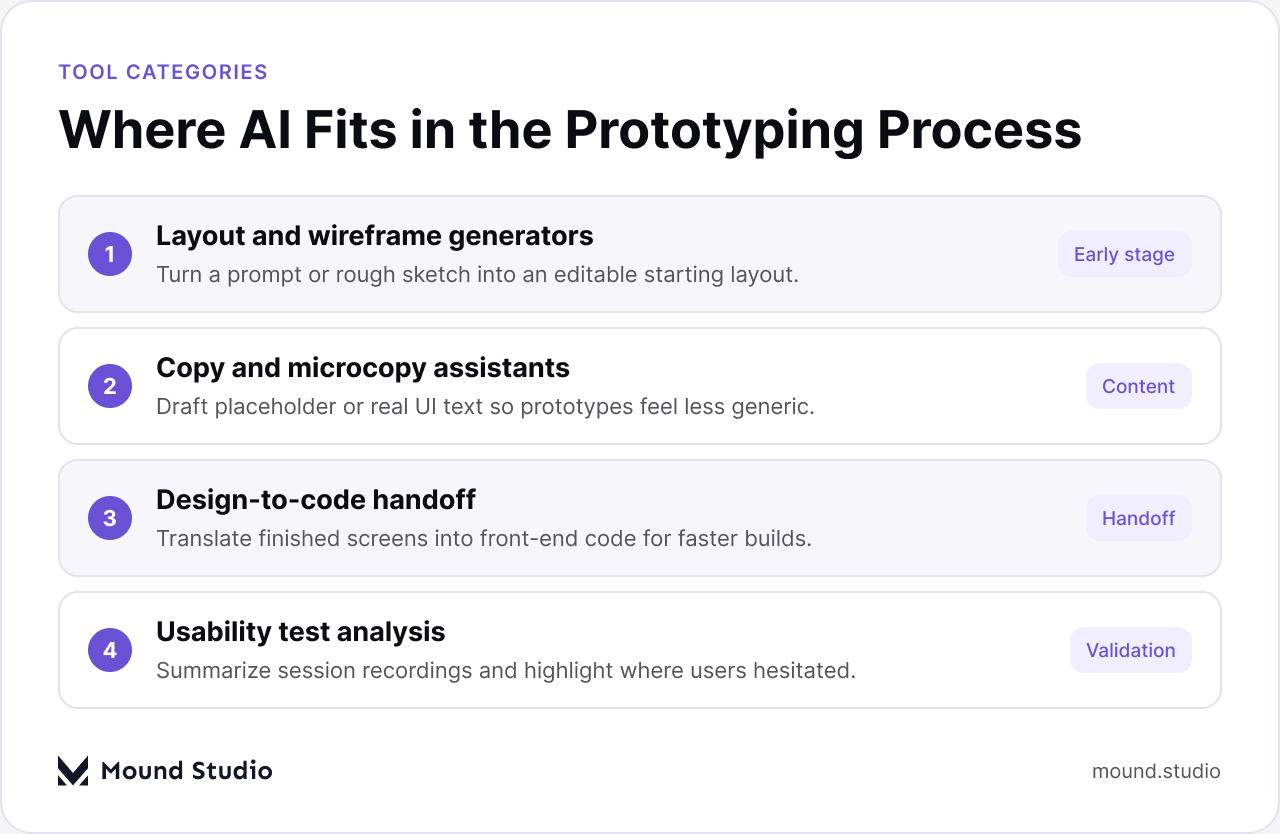
Layout and wireframe generators take a prompt, a rough sketch, or a short brief and turn it into an editable starting layout. They are strongest at the very beginning of a project, when you need several directions to react to rather than one polished option. Copy and microcopy assistants draft placeholder or near-final UI text, which matters more than it sounds: a prototype full of generic filler text tests worse than one with realistic content, because people react differently to real words than to lorem ipsum.
Design-to-code handoff tools translate finished screens into front-end code, which can meaningfully shorten the gap between a design being approved and a working build existing. Usability test analysis tools summarize session recordings, tag moments of hesitation, and surface patterns across multiple sessions faster than a person reviewing each recording individually could.
| Category | What it helps with | Where it fits in the process |
|---|---|---|
| Layout and wireframe generators | Turning a prompt or sketch into an editable starting layout | Early exploration, before a direction is chosen |
| Copy and microcopy assistants | Drafting realistic placeholder or near-final UI text | Throughout prototyping, especially before user testing |
| Design-to-code handoff | Turning finished screens into front-end code | Late-stage handoff to engineering |
| Usability test analysis | Summarizing sessions and flagging hesitation points | After a round of user testing |
The clearest way to decide where AI belongs in your process is to weigh how much risk a mistake carries against how easy it is to redo the work. Low-risk, easy-to-regenerate work is a good fit for AI. High-risk work, or work that defines how the product actually feels, is worth keeping in a designer's hands.
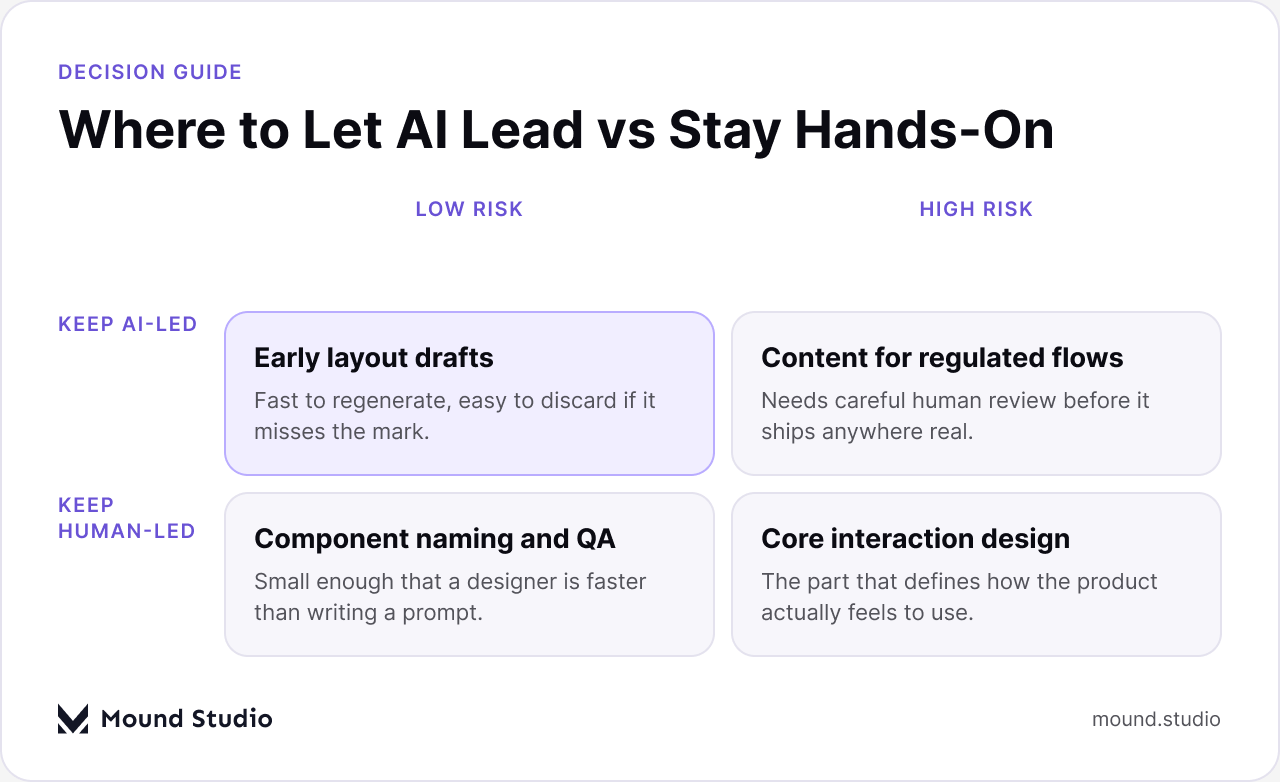
Early layout drafts are a natural fit for AI: they are fast to regenerate, and discarding one that misses the mark costs almost nothing. Content for regulated or high-stakes flows, on the other hand, needs a careful human review no matter how it was drafted, since the cost of a mistake is much higher. Small tasks like component naming or basic QA are often faster to do yourself than to describe in a prompt. Core interaction design, the part that defines how the product actually feels to use, is worth protecting as hands-on work, because it is the part users notice most, even when they cannot say exactly why.
| Task | Best handled by AI | Best handled by a designer |
|---|---|---|
| First-draft layouts | Generating several directions quickly | Choosing which direction is worth refining |
| UI copy | Drafting realistic placeholder text | Final tone, voice, and edge-case wording |
| Session review | Summarizing and tagging recordings at scale | Interpreting why a specific moment happened |
| Interaction design | Suggesting common interaction patterns | Deciding what the interaction should actually do |
Start by identifying where your process is actually slow. If early exploration takes too long because every direction has to be built from scratch, a layout generator will save the most time. If usability testing produces more recordings than anyone has time to watch closely, an analysis tool closes that gap. If your bottleneck is really the gap between design approval and a working build, look at design-to-code handoff tools before anything else. Adopting a tool for a stage of the process that is not actually your bottleneck rarely pays off, no matter how capable the tool is.
It also helps to pilot a new tool on a low-stakes project first. Run it alongside your existing process rather than replacing that process outright, and compare the output against what a designer would have produced by hand. That comparison tells you more about whether the tool fits your team's standards than any product description will.
It helps to set expectations before you start using any of these tools. A good layout generation is a rough starting point with sensible structure: reasonable hierarchy, a workable grid, and content blocks in roughly the right places. It is not a finished design, and it will usually need real work on spacing, type scale, and how components relate to your existing design system. A good AI-drafted copy pass reads naturally and fits the context, but it still needs a check against your actual product terminology and tone, since generic assistants do not know your product's specific vocabulary unless you give it to them. A good usability summary highlights patterns across sessions and flags moments worth a closer look, but the interpretation of why something happened is still a job for a person who understands the product and the users behind the data.
Knowing what "good enough to build on" looks like, versus what needs a full rewrite, is a skill in itself. Teams that skip this step tend to either over-trust the first draft and ship something rough, or under-trust it and redo everything from scratch, which defeats the purpose of using the tool at all. The middle path, treating AI output as a fast first draft that still needs a design pass, is where most of the actual time savings show up.
Adopting an AI prototyping tool works best when it is treated as a change to your process, not just a new tab open in the browser. Start by agreeing on where in your workflow the tool is allowed to produce a first draft, and where a designer starts from a blank canvas instead. Write this down, even informally, so new team members and collaborators understand the boundary without having to ask each time.
It also helps to agree on a review step before anything AI-assisted moves forward, whether that is a layout, a batch of copy, or a summarized set of usability findings. This does not need to slow the process down significantly. A short check against your design system, brand voice, and accessibility basics catches most of the issues that come from generated output before they reach a real user. Finally, revisit the tool choice periodically. The fastest path through a given stage of your process can shift as tools improve, and a category that was not worth adopting six months ago might be worth a second look now.
One of the most common gaps between an AI-generated draft and a shippable design is consistency with an existing design system. A generated layout has no knowledge of your specific spacing scale, component library, or type ramp unless you explicitly feed it that context, so the fastest way to cut down on rework is to treat your design system as an input rather than something you check against afterward. Some teams do this by keeping a short reference document of core components and tokens on hand to paste into a prompt. Others simply accept that the first pass will need a consistency pass afterward, and budget time for it rather than being surprised by it.
This matters most for teams with a mature design system, where inconsistency is easy to spot and expensive to fix later. It matters less for very early-stage exploration, where the goal is testing an idea rather than shipping a polished screen. Knowing which mode you are in before you start saves a round of cleanup later.
Before bringing a new AI prototyping tool into your workflow, it helps to ask a few practical questions. Who on the team will own reviewing its output, and how much time will that review realistically take each week? Does the tool fit into your existing file formats and handoff process, or will it create an extra conversion step? And critically, what happens to the data you put into it, including any user research or product information, since that varies significantly between tools and matters more for some products than others. None of these questions have a universal answer, but skipping them tends to surface problems after a tool is already embedded in the workflow, which is a harder time to change course.
AI prototyping tools are useful for the repetitive, exploratory parts of the process: first drafts, placeholder content, and sorting through large amounts of usability data. They are not a substitute for the judgment that goes into deciding what a product should actually do and how it should feel to use. The teams that get the most out of these tools are the ones that are clear about which parts of their process are which. If you want help figuring out where AI fits into your own design workflow, get in touch with us.
The most useful ones fall into four categories: layout and wireframe generators, copy assistants, design-to-code handoff tools, and usability test analysis tools. The right pick depends on your team's actual bottleneck.
No. AI speeds up early exploration and repetitive tasks, but core interaction design and high-stakes content still need a designer's judgment and review.
Not without review. AI-drafted copy can read plausibly while being off-brand or inaccurate, so it should always be checked before it reaches a real user.
Identify where your process is actually slow, whether that's early exploration, content, handoff, or usability analysis, and start there instead of adopting tools for stages that already work well.
Not automatically. Generated layouts don't know your spacing scale or component library unless you provide that context, so budget time for a consistency pass.



.png)


