








.avif)
.avif)
.avif)

SEO & AEO
How to Optimize Your Website for AI Search in 2026 (AEO Guide)
AI is used in UX design as a fast assistant. It summarizes research, drafts copy, suggests options to react to and handles repetitive production work. It does not replace understanding real users, weighing trade-offs or being accountable for the result. This guide shows where AI saves real time, where it falls short, and the workflow we use so speed never costs quality.
AI is a good assistant and a poor decision maker. Designers who treat it as a quick helper and keep the decisions for themselves get the most out of it. Designers who paste its output straight into a product get generic work and hidden mistakes.
Five places stand out. In each one a person still checks the result.
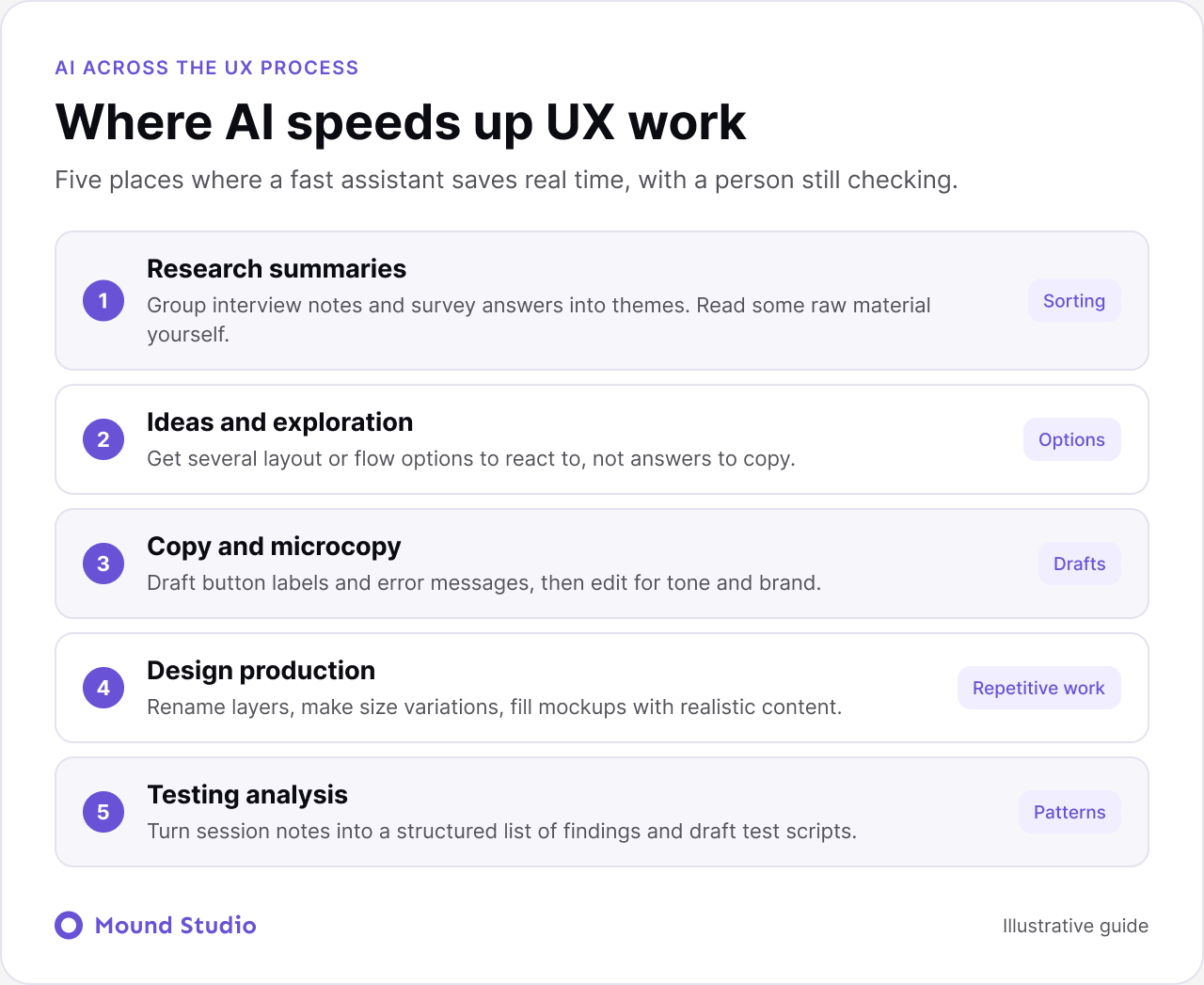
AI can summarize long interview transcripts, group open-ended survey answers into themes and pull out repeated pain points. That saves hours of sorting. You still need to read some of the raw material yourself, because summaries can flatten nuance.
Stuck on a blank page? AI can suggest layout options, flows or ways to explain a feature. Treat these as prompts for thinking, not answers. The goal is more options to react to, quickly.
Drafting button labels, error messages and empty states is a natural fit. AI can produce several versions in seconds. A designer then chooses, edits for tone and makes sure the words match the brand and the situation.
Repetitive tasks such as renaming layers, creating size variations, filling mockups with realistic content or checking consistency can be sped up. This frees time for the harder parts of the work.
AI can turn test notes into a structured list of findings and spot patterns across sessions. It can also help write test scripts and task scenarios, which you then refine.
| Task | AI role | Person's role |
|---|---|---|
| Interview notes | Group into themes | Read raw quotes, judge meaning |
| Layout ideas | Offer options | Choose and refine |
| Microcopy | Draft versions | Edit for tone and brand |
| Mockup content | Fill with realistic text | Check it makes sense |
| Test findings | Structure the notes | Decide what matters |
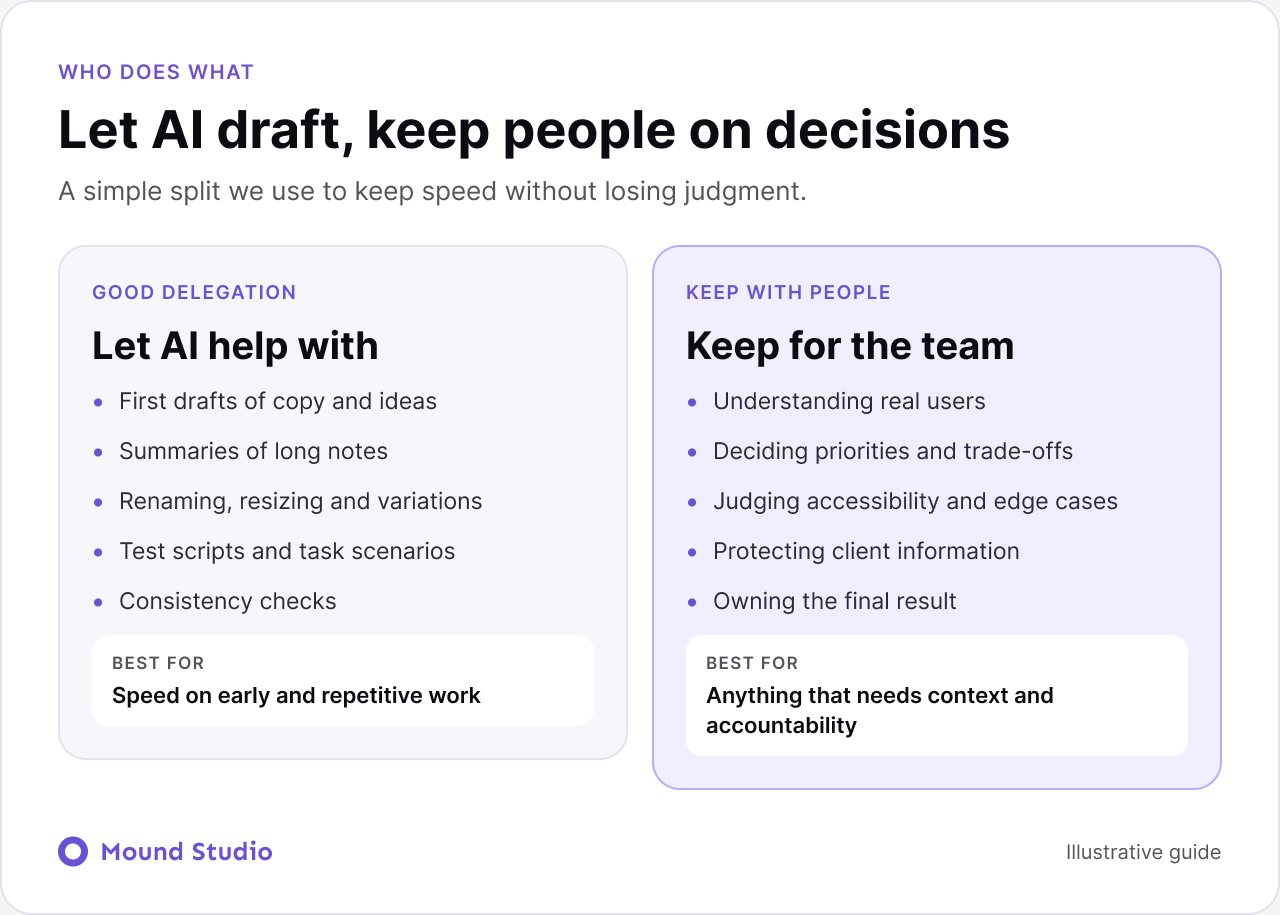
A simple split keeps speed without losing judgment. Let AI draft. Keep people on the decisions.
AI sits inside the process. It never replaces the checks. Our workflow has four steps.
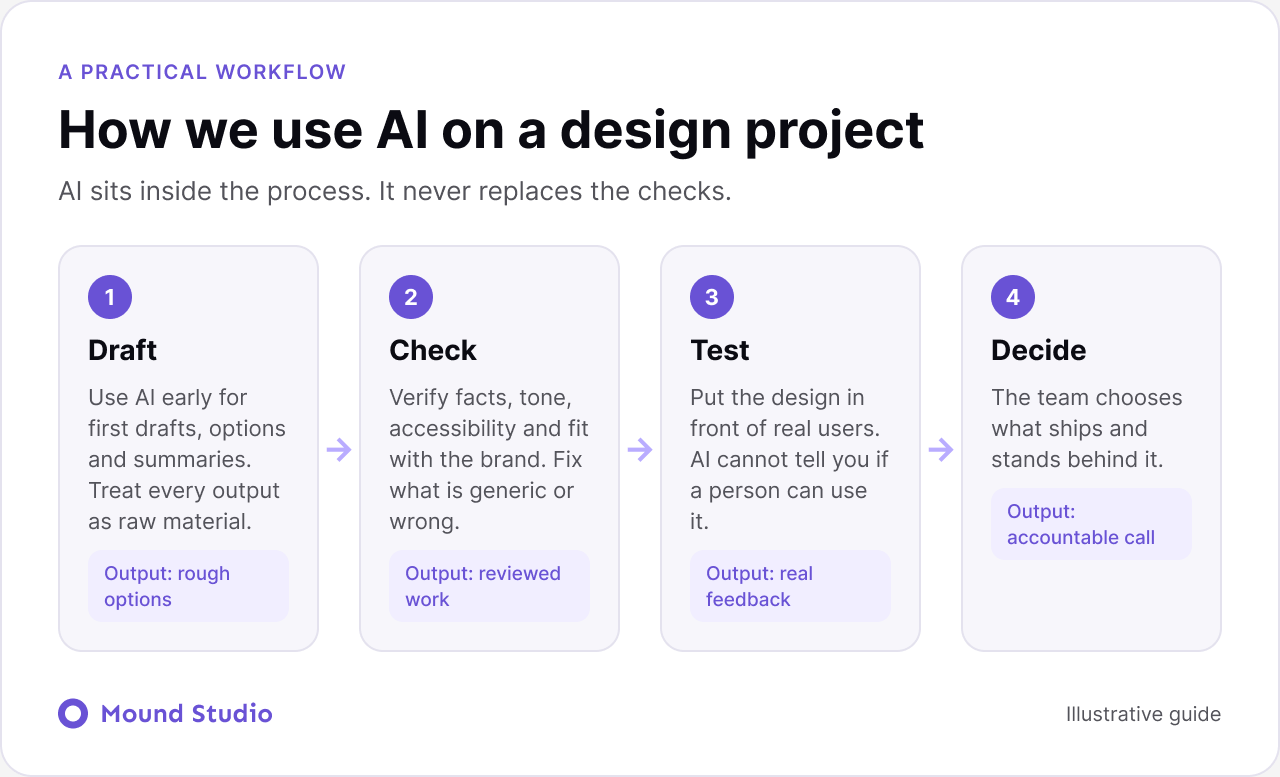
The testing step pairs well with a proper review. Our guide to how to do a UX audit shows how to gather evidence that no model can give you.
Good prompts share four habits. State the goal and the audience in the first line. Give the context: the product, the screen and the constraint. Ask for several options, not one. Then ask the model to explain its reasoning, so you can judge it rather than accept it.
For example, instead of "write a button label", try "write five labels for the final step of a trial sign-up, for busy finance managers, under three words each, calm and clear tone". You get options you can compare, and you still make the choice.
Review is the step that turns a draft into design work. We use the same short routine every time, so nothing slips through because the output looked polished.
If a draft fails two or more of these, we throw it out and start again with a better prompt. Repairing a weak draft usually takes longer than rewriting it.
Give the tool your rules, not just your request. Share three or four real examples of copy you like, list the words the brand avoids, and state the reading level. Then edit every result by hand. Over time you will notice which phrases the tool repeats, and you can add those to your do-not-use list.
Keep a shared document of approved labels and messages. When a new draft matches an approved pattern, reuse it. When it does not, decide whether the pattern needs to change or the draft does. That habit keeps a product sounding like one person wrote it, even when many people and tools contributed.
A team needs error messages for a checkout flow. They ask an AI tool for several versions of each message and get twenty drafts in a minute. A designer picks the clearest ones, rewrites the tone to match the brand, and checks each message says what went wrong and how to fix it. The team then tests the checkout with a few real customers, and one message still confuses people. They rewrite it. AI saved the blank page time. People made every decision that mattered.
Take a typical project. A team runs eight customer interviews for a new onboarding flow. Each call produces a long transcript. Sorting them by hand takes days.
The team removes names and company details first. They then ask an AI tool to group the comments into themes, and to list the exact quote behind each theme. That last request matters, because it lets a person check the summary against the source.
The designer reads the themes and then opens the raw transcripts for the two or three that look most important. Often one theme turns out to be wrong. A comment about pricing was really a comment about trust. A summary cannot tell the difference, but a person reading the full quote can.
The result is a shorter list of findings, each linked to real quotes. The team saved the sorting time and kept the understanding. That is the pattern we aim for on every project: AI handles the volume, and a person handles the meaning.
Not every task deserves the same level of trust. Ask these questions before you hand something over.
When most answers point toward low risk and easy checking, use the tool. When they point the other way, keep the task with a person.
The parts of the job that are about production get faster. The parts about judgment, research and communication get more valuable. Designers who understand users, can explain their decisions and know how to direct AI tools well are in a strong position. The basics of design, such as hierarchy, flows and usability, matter more, since you need them to judge what AI gives you.
AI can shorten timelines and reduce the cost of early exploration. It does not remove the need for a clear brief, good research and careful testing. If you are building a product, the quality gap still comes from understanding your users and making good decisions. See how a good design process runs from discovery to handoff, and how to make your site easier for AI assistants to read in our AI search guide.
AI does not change the basics. You still need a clear view of the problem, a sensible structure and a design people can use. If the team is unsure where design ends and research begins, our guide on the difference between UI and UX design is a good starting point. A model can suggest a menu, but someone has to understand how people look for things, which is covered in our information architecture guide.
Accessibility is the clearest example. A generated screen can look fine and still fail a keyboard user. Use the website accessibility checklist as a manual review, whatever tool produced the first draft.
Small teams often adopt tools one by one and never agree on rules. A short conversation up front prevents most problems.
Write the answers down in a single page. It does not need to be formal. It just needs to exist, so new people on the team follow the same habits.
AI is a good assistant and a poor decision maker. Use it to move faster on research, ideas and production, and keep people in charge of judgment, testing and the final call. Curious how AI could fit into your product design? Talk to us and we will show you where it helps and where it does not.
AI changes how designers work, but the job depends on judgment, empathy and decisions that need context. Designers who use AI well will do more, faster.
It can summarize interviews, group feedback, draft copy, suggest layout ideas, generate variations and speed up repetitive production work.
Understanding real users, deciding priorities and judging whether a design works for people. Those need human context and accountability.
It is a starting point. Output often looks generic and can miss accessibility, brand and edge cases, so it needs careful review and refinement.
Only after you check how the tool stores and uses data. When in doubt, remove names and confidential details before you paste anything in.

.png)


