








.avif)
.avif)
.avif)

Website
Website Redesign Checklist for 2026: What to Do Before, During, and After
Most owners ask this after a bad week: a lead said the site looked old, a page broke on a phone, or a competitor launched something sharp. Those moments are useful, but they are not a plan. This guide gives you clear signs, a way to tell a refresh from a redesign, and the steps that keep your rankings safe if you do rebuild.
It is time to redesign when your website no longer represents your business, when it stops helping people take the action you want, or when it has become too hard to update. If the site still works and only looks a little dated, a targeted refresh will usually do more for less effort. Age alone is not a reason.
The more of these you tick, the stronger the case. One sign is a prompt to investigate. Four or more is usually a redesign.
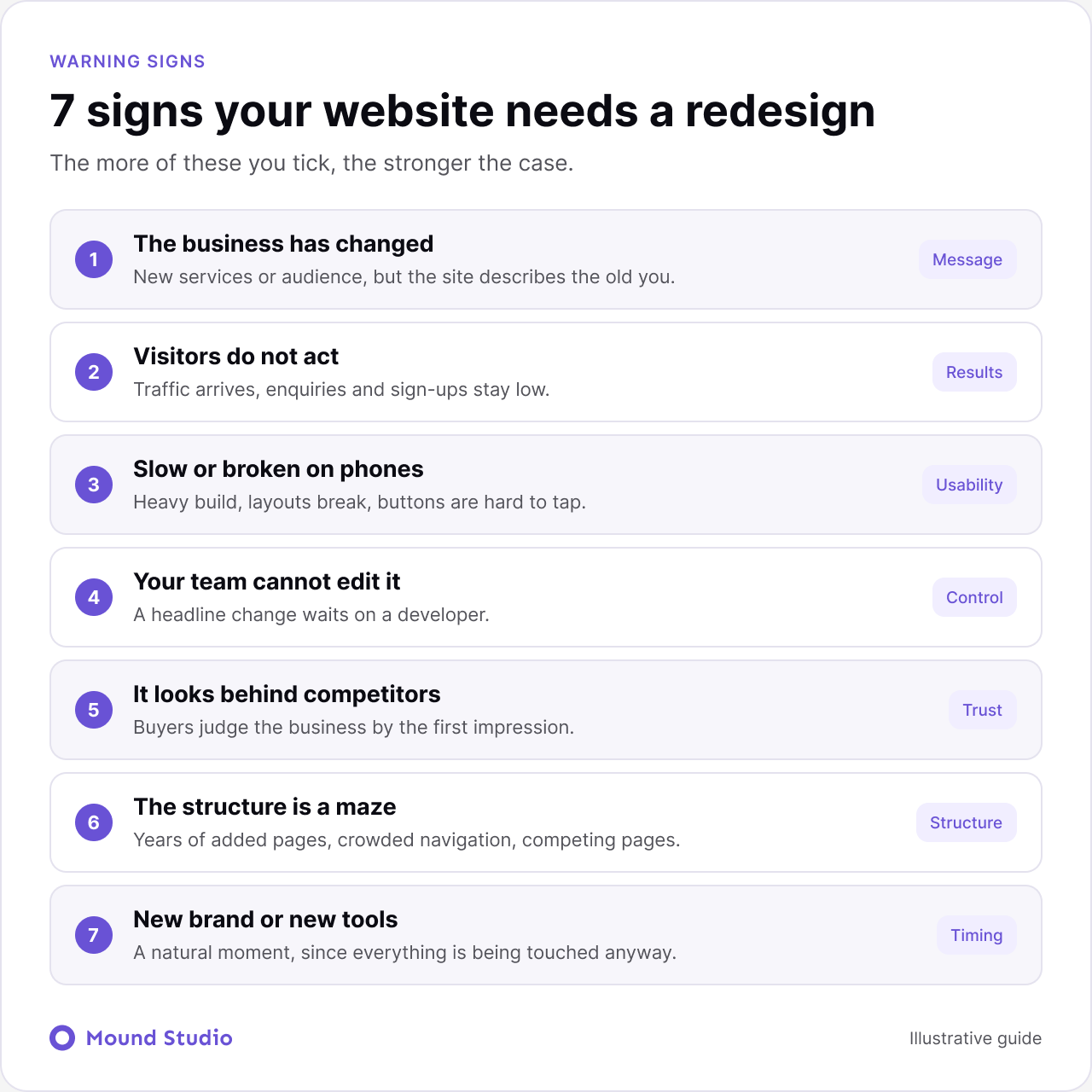
You have new services, a new audience or a new position in the market, and the site still describes the old you. When visitors read one thing and the sales conversation says another, trust drops. This is the strongest reason to redesign.
Traffic arrives, and enquiries, sign-ups or sales stay low. That points to the message, structure or calls to action. Look at where visitors leave and which pages they never reach. Sometimes a few changes fix it. If the whole flow is confusing, a redesign is worth considering.
If pages load slowly, layouts break on small screens or buttons are hard to tap, you lose visitors before they read a word. Some of this can be fixed page by page. If the build underneath is heavy or outdated, starting fresh is often faster than patching.
If changing a headline means waiting on a developer, the site will fall behind. A modern setup on a platform such as Webflow or WordPress lets your team edit content on their own. If you are choosing a platform, see our comparison of Webflow and WordPress.
Open your site beside three competitors. If yours looks less professional, buyers may judge your business the same way, fairly or not. Design is not everything, but it shapes first impressions, and first impressions decide whether people keep reading.
Pages have been added for years without a plan. Navigation is crowded, similar pages compete with each other, and visitors cannot find pricing, services or contact details quickly. A redesign lets you reorganize the whole structure around how people actually look for things.
A new brand identity, a new CMS or a move to another platform is a natural moment to redesign, since you are touching everything anyway. Doing them together avoids paying twice.
Not every sign carries the same weight. A changed business and a site nobody can edit are structural problems, and they tend to get worse over time. A dated look or a slightly slow page is easier to fix on its own. When you score your site, give more weight to the signs that touch the message, the structure, and your ability to maintain the site.
It also helps to separate what you feel from what you can show. "The site looks old" is a feeling. "Half of our visitors leave from the services page and the contact form is hard to find on a phone" is something you can act on. Try to attach one piece of evidence to every sign you tick, even if it is only a short list of complaints from sales calls.
Sort every problem you found into page-level or whole-site. That one exercise settles most debates.
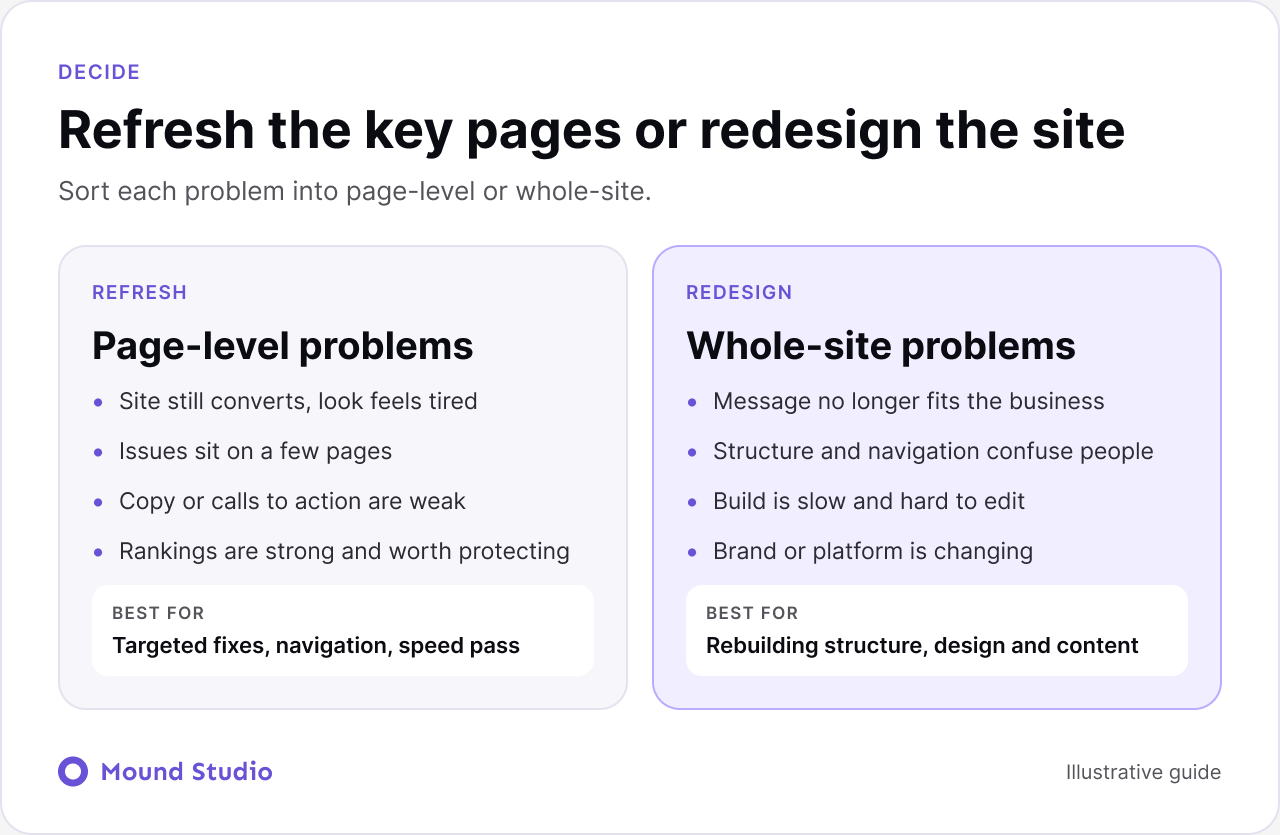
| Situation | Refresh | Redesign |
|---|---|---|
| Conversion | Site still converts | Visitors do not act |
| Problem spread | A few pages | Across the whole site |
| Message | Still true, copy is weak | No longer fits the business |
| Build | Editable, only looks tired | Slow and hard to edit |
| Rankings | Strong, worth protecting | Weak, little to lose |
| Brand or platform | Unchanged | Changing |
For the first step of any of this, a structured review helps. Our guide to how to do a UX audit shows how to find the real problems before you change anything.
Picture a services company that added a new offer two years ago. The homepage still leads with the old offer, the new one lives three clicks deep, and only the developer can edit the page. Traffic is steady, but enquiries are for the old service. That is signs one, four and six at once, and no amount of copy tweaking fixes it. The fix is a new structure, a new homepage message and a build the team can edit. Compare that with a company whose site converts well but uses tired imagery. There, new photography and a clearer call to action on five pages is the right size of change.
A redesign changes URLs, titles and content, and any of those can cost you search traffic. Four checkpoints keep it safe.

Our website redesign checklist walks through the order of work from audit to launch.
A typical redesign runs in clear phases, and knowing them helps you plan your own time.
We start by reviewing the current site, the analytics, and the business goals. This is where the keep list and the problem list get written. It is also where you agree what success looks like, for example more qualified enquiries rather than more traffic.
Next comes the sitemap and the messaging for each key page. Content is the step that most often slows a project down, because writing about your own business is harder than it sounds. Start early and assign one person to own it.
Once the structure is agreed, design moves quickly. Layouts are reviewed on desktop and phone together, then built. If you want to see the work a design phase produces, our note on wireframes, mockups and prototypes explains each stage.
Launch is planned around redirects, tracking, and a final check of every form. The weeks after launch are for watching results and fixing small issues, not for starting new work.
Starting with visuals instead of goals. Teams often browse inspiration first and end up copying a look that suits someone else. Decide what the site must do, then choose a style that supports it.
Changing everything at once. If a page already brings leads, keep its core message and improve around it. Rebuilding a page that works is a risk with no upside.
Too many decision makers. Projects stall when five people each want a different homepage. Agree early on who has the final say, and gather feedback in one round at a time.
Treating launch as the end. The first month teaches you what visitors really do. Plan time to respond to it.
A redesign affects sales, support, and marketing as much as it affects the website team. Bring those groups in early. Ask sales which questions prospects keep asking, and ask support which pages people struggle with. Their answers often shape the new structure better than any workshop.
Share progress in small steps too. A short review after the sitemap, another after the first design, and a final check before launch keeps surprises to a minimum. People support what they have seen grow, and they are far more likely to keep the new site up to date once it is live.
Finally, agree on how the site will be maintained. Decide who edits content, who approves changes, and how often pages are reviewed. A site with no owner slowly returns to the state that made you redesign it in the first place.
A short brief saves time on both sides. Bring the answers to a few questions:
If you want a template, our guide to writing a website design brief covers each section. When you are ready to compare partners, read how to choose a web design agency, and for a sense of budget see how much UI/UX design costs.
Then run the cheapest test first. Fix the most visible problem on your most important page, and see whether results move. If they do, keep improving in steps. If the fix keeps hitting the same wall, such as a build that cannot change or a structure that cannot hold new pages, you have your answer, and you will have real evidence to justify the redesign.
| Question | Yes means |
|---|---|
| Has the business changed since launch? | Message needs a rewrite |
| Do visitors reach key pages but not act? | Flow or offer needs work |
| Can the team edit without a developer? | If no, build needs to change |
| Do you have a list of pages that rank? | Ready to protect them |
| Is a new brand or platform planned? | Good moment to redesign |
Redesign for a reason: a changed business, weak results or a site your team cannot maintain. If the site still does its job, improve it in smaller steps and save the rebuild for when it is needed. Not sure which side you are on? Send us your site and we will tell you what to keep, what to fix and whether a redesign makes sense.
There is no fixed schedule. Redesign when your business, audience or goals change, or when the site stops doing its job. Small updates in between keep it healthy.
Often, yes. Rewriting key pages, fixing navigation, improving speed and updating visuals on the top pages can help without a full rebuild.
It can if URLs change without redirects. Map every old URL to a new one, set 301 redirects at launch and carry over titles and descriptions for pages that perform.
Write down what the site should achieve, then check analytics to see what is working. That tells you what to keep and what to change.
If visitors reach the right pages but do not act, look at the message and calls to action first. If they cannot find things or the site is slow, the structure or build is the problem.


.png)


