








.avif)
.avif)
.avif)


Product
How Much Does UI/UX Design Cost in 2026? What Actually Drives the Price

When a redesign goes wrong, people blame the visuals. Usually the real problem sits earlier. Nobody defined what the site needed to do, nobody protected the pages that already bring in traffic, and the content showed up two weeks before launch.
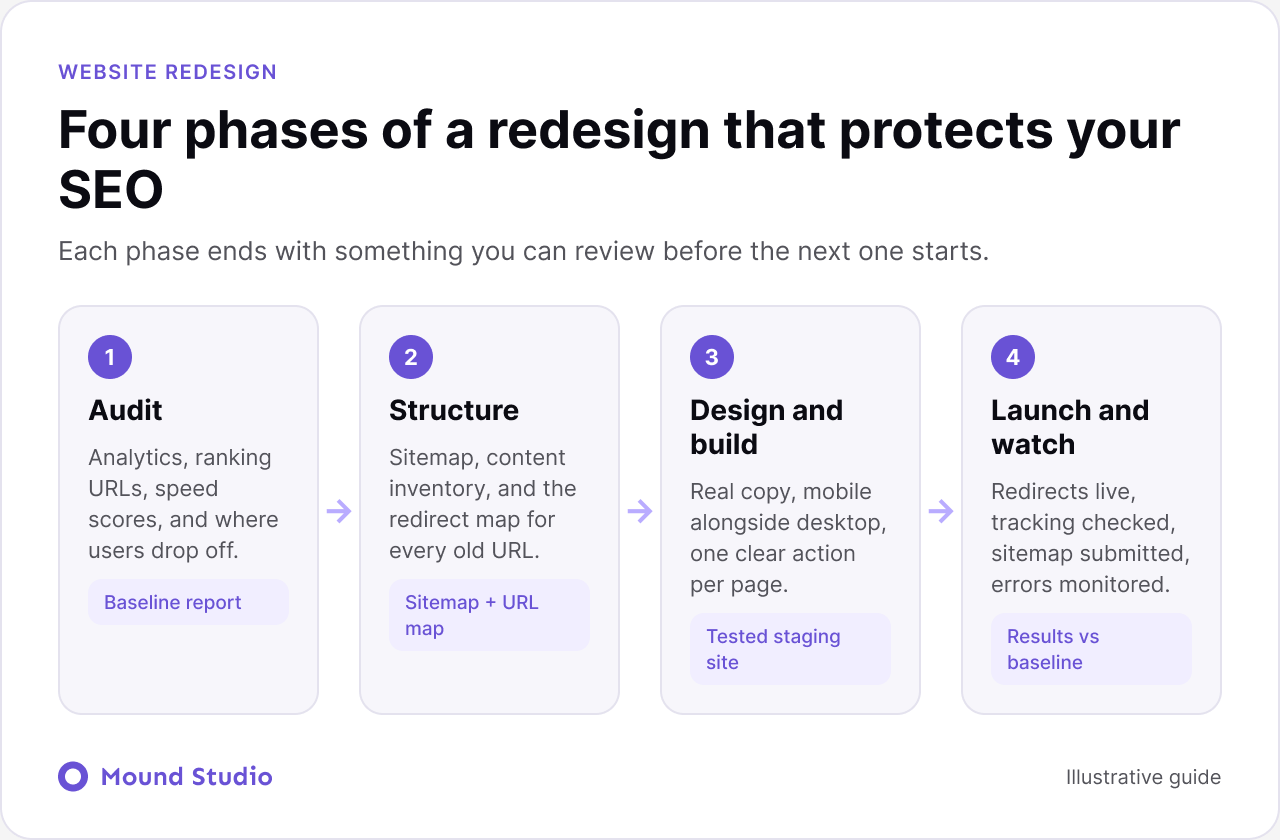
This checklist is the order we follow on our own projects. It covers the audit, the design work, the launch, and the weeks after. Work through it top to bottom, and use the tables and diagrams to check your progress.
A good website redesign checklist has four phases: audit what you have, plan structure and content, design and build, then launch and monitor. The step that protects your search rankings most is mapping every old URL to a new one with a 301 redirect. The step that saves the most time is writing content before design is signed off.
"Get more demo requests from small B2B teams" is a goal. "Make it look modern" is not. Every later decision, from the navigation to the hero headline, gets checked against this sentence. If a design choice does not help it, it is decoration.
A useful goal names a visitor, an action, and a reason. A few examples of the shape we mean:
Write two or three of these, then choose one as the main goal. The others become supporting goals. When the team disagrees later, you return to this list and let it settle the argument.
You cannot protect what you have not measured. Pull these before anyone opens Figma:
If you want a structured way to find usability problems in the existing site, our guide on how to do a UX audit walks through it.
List every page, then give each one a decision: keep, rewrite, merge, or delete. Most sites carry pages nobody has opened in a year. A redesign is the right moment to cut them, and cutting is cheaper than redesigning pages nobody needs.
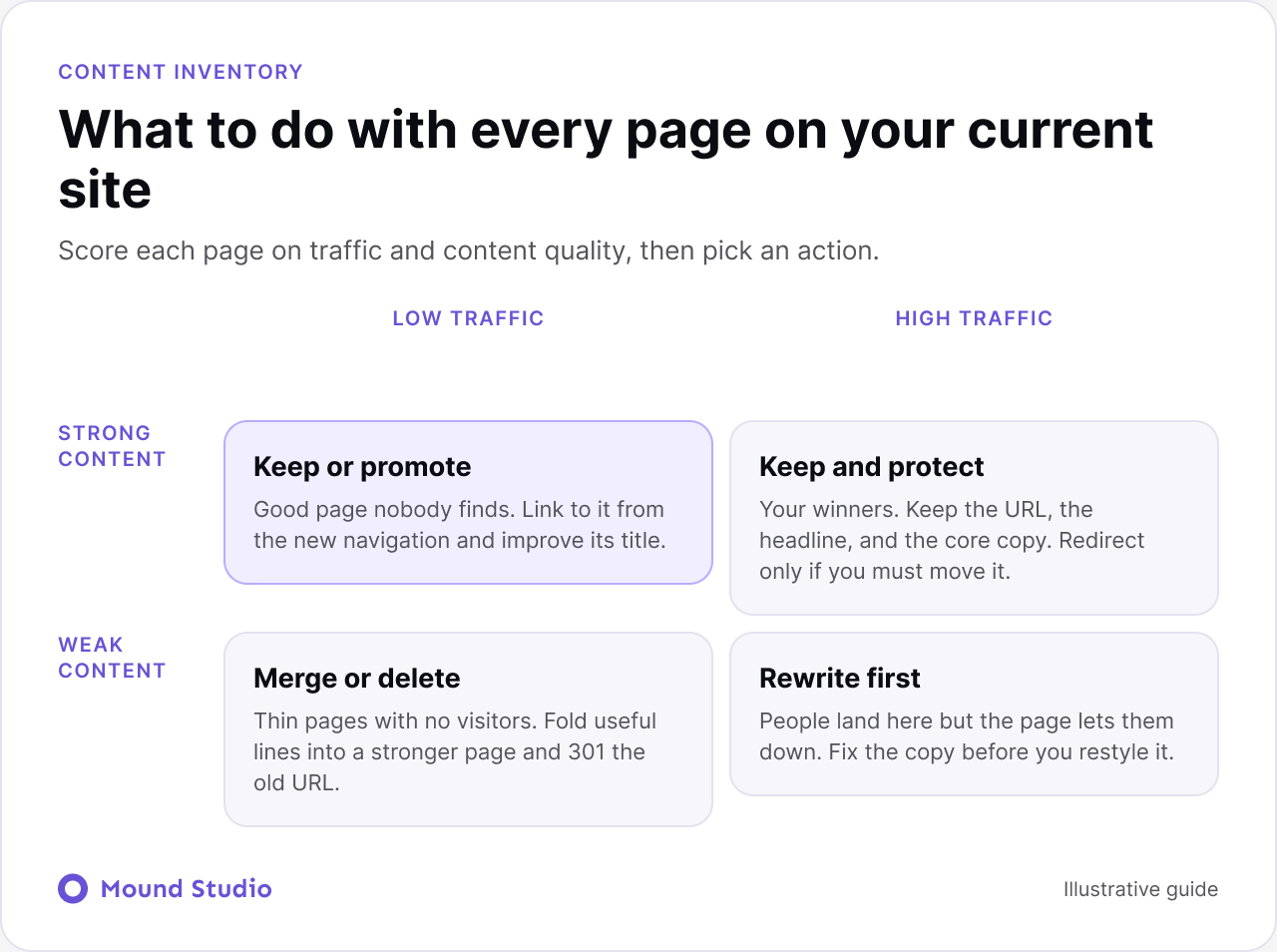
Use this table as a quick rule when you go through the list:
| Page situation | Decision | Why |
|---|---|---|
| Gets traffic, content is good | Keep | It works. Keep the URL and the core text. |
| Gets traffic, content is dated | Rewrite | You keep the ranking and improve the page. |
| Several thin pages on one topic | Merge | One strong page beats three weak ones. Redirect the rest. |
| No traffic, no purpose | Delete | Less to design, build, and maintain. Redirect if it has links. |
Not to copy them. Look at what buyers in your market expect to see, then decide where to match that and where to stand apart. Note how they explain pricing, proof, and next steps.
Structure comes first. If people cannot find pricing in two clicks, no layout will save it. Draw the sitemap, agree on the main navigation, and only then start wireframes.
At least write the headlines and the main section copy. Designing around placeholder text hides problems that show up the moment real copy arrives: headlines that wrap badly, buttons that do not fit, sections that have nothing to say.
Not after. A large share of visitors will never see the desktop version, so it should not be an afterthought scaled down at the end.
Two competing buttons usually mean neither gets clicked. Decide the one action a visitor should take on each page, and make it the most obvious thing on the screen.
Image sizes, font choices, and third-party scripts are much easier to control in design than to fix after launch. Ask for a performance budget before development starts.
Contrast, focus states, alt text, and keyboard navigation. It helps every visitor, and it protects you legally in many markets.
Your platform affects how fast you can edit, how fast the site loads, and what the team can maintain. If you are weighing options, read Webflow vs WordPress, and if you are moving off WordPress, our migration guide covers the redirect and content steps in detail.
Fewer people, with clear roles, works better than a large committee.
This is where most SEO damage happens, and most of it is avoidable. Go through the list below on the staging site, not on launch day.
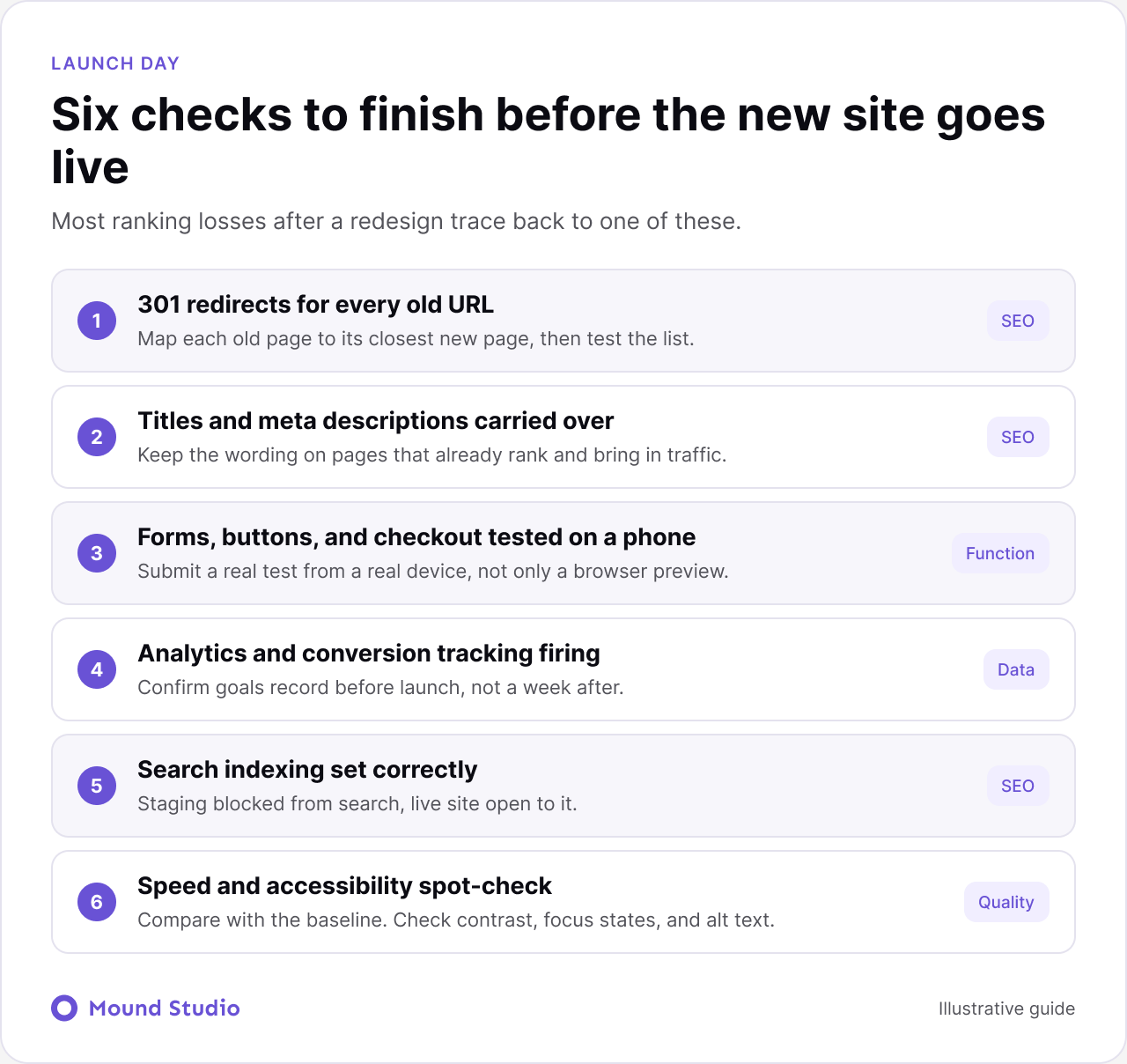
| Check | What to confirm | Who owns it |
|---|---|---|
| 301 redirects | Every old URL lands on its closest new page, with no chains or loops | Developer and SEO |
| Titles and meta descriptions | Carried over for pages that already perform | SEO or content |
| Forms and buttons | Each one works on a real phone and sends to the right inbox or CRM | QA |
| Tracking | Analytics and conversion events fire once, and only once | Marketing |
| Indexing settings | Staging is blocked from search. The live site is not | Developer |
| Speed | Compared to your baseline on mobile | Developer |
The redirect map is a simple list with two columns: the old URL and the new one. Building it is careful work, but it is not complicated.
If a page is deleted with no equivalent, redirect it to the most relevant category or guide. Sending everything to the homepage tends to confuse both users and search engines.
Keep a short log of what you changed and why. It makes the next round of decisions easier.
Most of them are invisible until it is too late. Broken redirects do not look like a problem on launch day, but rankings slip over the following weeks. Missing content shows up as delays, and delays push teams to rush the final steps. Too many approvers quietly turn a plan into a compromise. The cure is to move the hard decisions earlier: goals, structure, content, and ownership. For a deeper look at the search side of a launch, use our Webflow SEO checklist, and for the design that sits underneath the pages, read about how to design a website that converts.
This is a common pattern we see, described as typical practice rather than one specific project. A services company has a site built several years ago. It looks dated, and visitors rarely reach the contact page.
The audit shows that a handful of articles bring most of the traffic, while the main service pages get very little. The team decides to keep and rewrite the articles, merge three thin service pages into one strong page, and delete a set of old news posts. The sitemap gets simpler. Content is written before design starts, so the layouts are drawn around real headlines. The redirect map covers every old URL, and the launch happens on a quiet weekday morning so someone can watch the results.
In the weeks that follow, the team fixes a few missed redirects, updates internal links, and improves the two pages where users hesitate most. Nothing dramatic happens. That is the goal. A calm launch is a sign the earlier steps worked.
It depends on page count, content readiness, and how quickly feedback comes back. A focused marketing site can come together in a few weeks. A larger site with a lot of content and integrations takes months. The biggest schedule killer is almost never design. It is waiting for content and approvals, so book both early.
Not every problem needs a full redesign. If the structure is sound and only the look is dated, a partial refresh may be enough. If visitors cannot find what they need, or the site cannot support your business anymore, a redesign is justified. Our post on when to redesign your website gives clear signs for each case. Budget matters too, and what drives UI/UX design cost explains why scope decides the quote.
A redesign is not a visual refresh. It is a chance to fix structure, message, and performance at the same time, without losing what already works. Do the audit, protect your URLs, and the design work gets much easier.
Want a second pair of eyes on your current site before you commit? Send it over and we will tell you what to keep and what to fix.
It should cover a goal, an audit of analytics and ranking URLs, a content inventory, a sitemap, content, design, accessibility, a redirect map, pre-launch testing, and post-launch monitoring.
It depends on page count, content readiness, and how fast feedback comes back. A focused marketing site can take a few weeks. A larger site with many integrations can take months.
It can, if URLs change without redirects or if pages that rank get removed. Map every old URL to a new one, set up 301 redirects, and carry over titles and meta descriptions for pages that perform.
Write a one-sentence goal, pull your analytics, and list the pages that rank in Google. Everything else builds on those three things.
No. Inventory every page and mark it keep, rewrite, merge, or delete. Pages that perform and read well can stay largely as they are.


.png)


