








.avif)
.avif)
.avif)


Agency
Website Design Brief: What to Include Before You Hire
A Webflow project's timeline and budget come down to two things: how much you're asking the team to build, and how ready you are to keep the build moving. A small marketing site with a handful of static pages moves through discovery, design, build, QA, and launch in a clear, predictable path. A content-heavy site with multiple CMS collections, custom interactions, and several stakeholders reviewing every round takes meaningfully longer and costs more, not because Webflow is slow, but because there's more to design, more to structure, and more to test.
This guide walks through the phases every project moves through, the factors that stretch timeline, the factors that stretch budget, and how those add up differently depending on whether you're building a small marketing site, a mid-size product site, or a large content-heavy site. We won't give you specific weeks or dollar figures, since those depend entirely on your scope, but we'll show you exactly what moves the number.
Timeline is driven mostly by page count, CMS structure, custom interactions, how ready your content is, and how many people review each round. Budget follows overall scope plus anything outside a standard build: third-party integrations, a migration from an existing site, and localization. A small marketing site sits at the low end of both. A large, content-heavy or multi-language site sits at the high end of both, with a mid-size SaaS or product site somewhere in between. None of these factors work in isolation. A small site with a rushed timeline and five reviewers can end up costing more attention than a mid-size site with ready content and one clear decision maker.
Most Webflow projects move through five phases, in roughly this order. Each phase has a clear output, which makes it easier to track progress and to see where a project might be sliding behind.
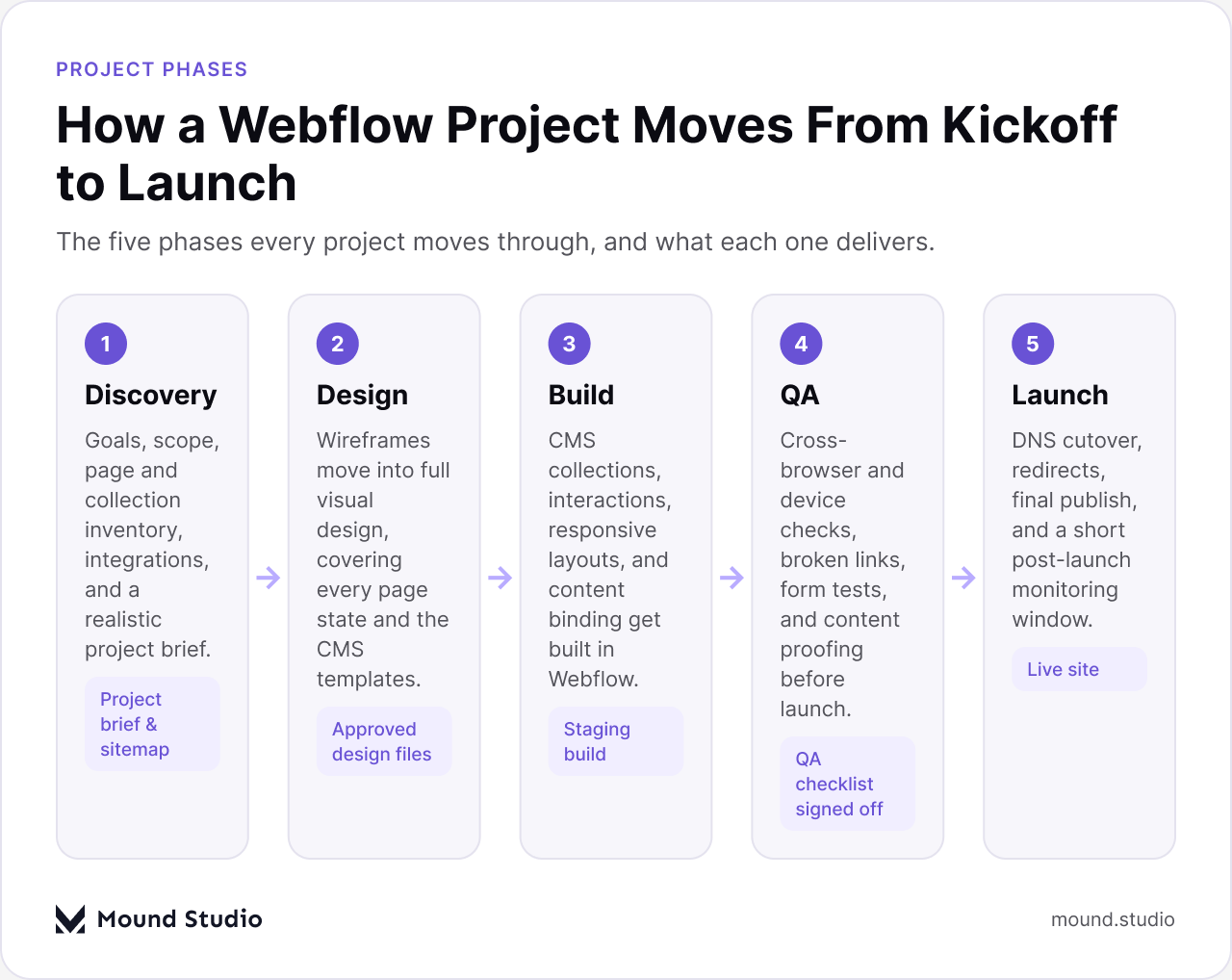
| Phase | What happens | Who's involved |
|---|---|---|
| Discovery | Goals, scope, page and CMS inventory, integrations list, and a written brief | Project lead and the client's decision maker |
| Design | Wireframes, then full visual design across every page and CMS template | Designer, with client review |
| Build | CMS collections, layouts, and interactions built in the Webflow Designer | Designer building in Webflow |
| QA | Cross-browser and device checks, link and form testing, content proofing | QA reviewer and the build team |
| Launch | DNS cutover, redirects, final publish, and a short monitoring window | Project lead, sometimes the client's IT contact |
A well-scoped website design brief at the start of discovery is one of the simplest ways to keep every later phase on track, because it forces the page list, the CMS structure, and the stakeholder list to exist on paper before anyone opens the Designer.
The table above describes what the team does. Each phase also asks something of you, and how quickly you deliver your part affects the timeline about as much as anything the team does.
None of this is complicated, but skipping it is exactly how a well-scoped project quietly slips past its planned timeline.
Timeline mostly comes down to how much there is to design and build, and how quickly decisions get made along the way. Five factors do most of the work.
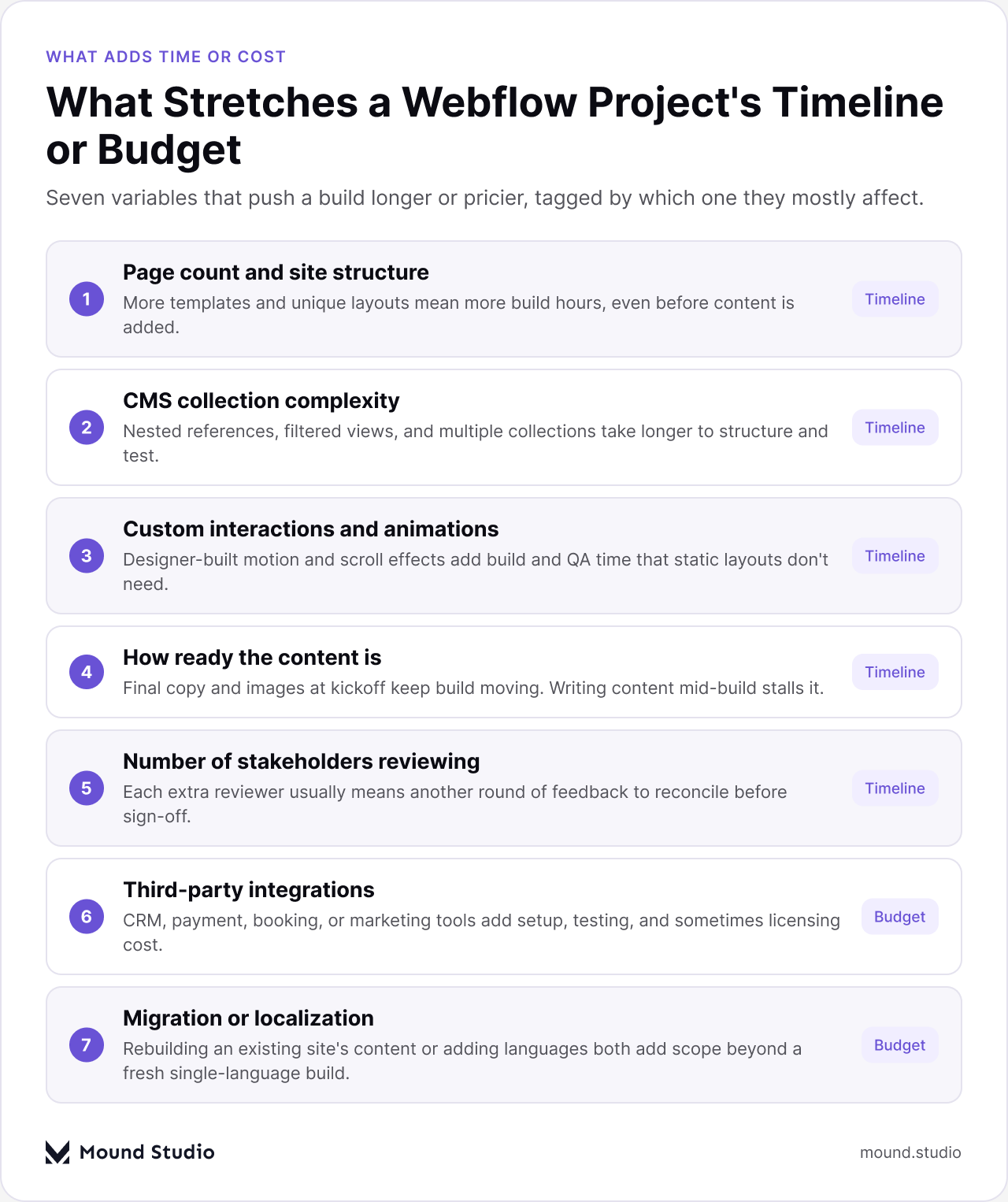
Every unique template and layout adds build hours, independent of content. A five-page marketing site with one layout pattern moves fast. A site with a dozen distinct page types takes longer, because each one needs its own design pass and its own responsive checks.
A simple blog collection is quick to structure. A set of collections that reference each other, feed filtered views, or power dynamic landing pages takes longer to plan and test. Getting this structure right early avoids a rebuild later. Our guide to structuring Webflow CMS collections covers the patterns that hold up as a site grows.
Static layouts are fast to build. Scroll-triggered animations, custom hover states, and multi-step interactions inside the Webflow Designer add real build and QA time, because each one needs to be built, checked across breakpoints, and tested on real devices.
This is one of the biggest hidden drivers of timeline. If final copy and images are ready at kickoff, build moves at a steady pace. If content is still being written while pages are being built, work stalls waiting on text, or gets built against placeholder copy that has to be revisited later.
Every additional reviewer usually means another round of feedback to gather and reconcile. Two aligned decision makers move fast. Five reviewers with different opinions on the same screen add rounds that have nothing to do with the design itself.
Budget tracks scope closely, but a few things sit outside a standard build and add cost on their own.
Instead of a price list, it helps to think in relative tiers. Here is how three common project sizes compare, in scope and effort rather than dollars or weeks.
A small marketing site typically has a handful of static pages, maybe a simple blog, and no complex integrations. Page count is low, CMS needs are simple, and there are few custom interactions. It moves through all five phases quickly, especially with content ready at kickoff, and a single reviewer can usually keep it moving on its own.
A mid-size SaaS or product site usually adds a documentation or resource area, a few interconnected CMS collections, a handful of custom interactions, and one or two integrations. Discovery and design take real time because there are more page types and more decisions about how the product is positioned, and there is usually more than one internal reviewer weighing in. If you're scoping this kind of build, see what shapes SaaS website design cost for a closer look at what separates it from a simpler brochure site.
A large, content-heavy site usually involves many page templates, multiple linked CMS collections, filtered and searchable content, several stakeholders, and sometimes localization or a migration. It sits at the high end on both timeline and budget, and small changes to the CMS structure late in the project tend to ripple across many pages at once. These projects benefit most from a genuine discovery phase, because the CMS structure alone can take as long to plan as a small site takes to build entirely.
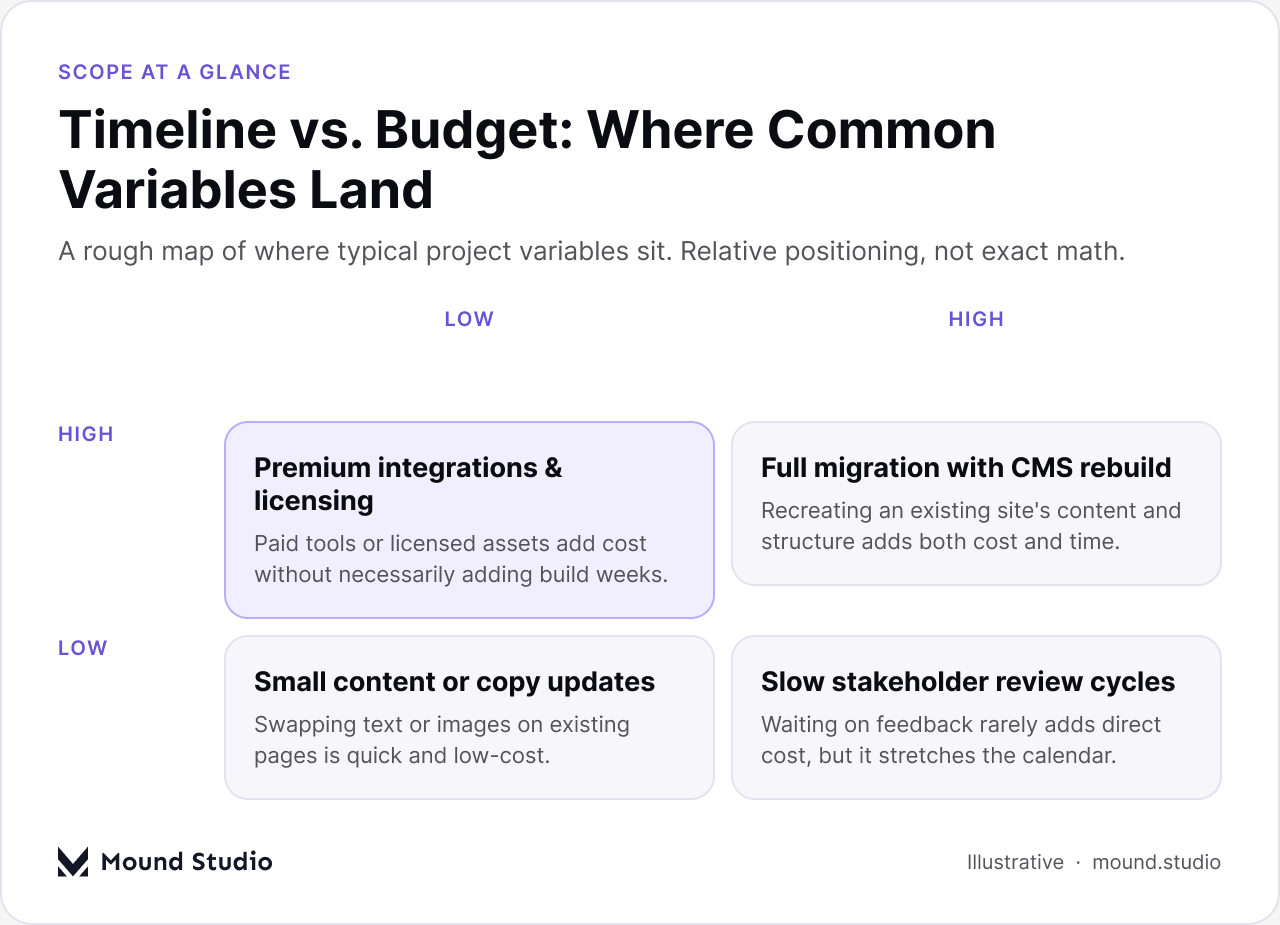
| Factor | Typical timeline impact | Typical budget impact |
|---|---|---|
| Page count and site structure | Medium to High | Medium |
| CMS collection complexity | Medium to High | Medium |
| Custom interactions and animations | Medium | Medium |
| Content readiness | High | Low |
| Number of stakeholders reviewing | High | Low |
| Third-party integrations | Low to Medium | Medium to High |
| Migration from an existing site | Medium to High | Medium to High |
| Localization | Medium to High | High |
These four issues show up on more projects than any others, and every one of them is avoidable with a bit of planning before the build starts.
Before asking for a timeline or a budget, work through this list. It takes less than an hour to fill in, and the more of it you can answer with confidence, the more accurate the first estimate a team gives you will be.
A clear answer to each point turns a vague request into a scope a team can actually estimate against.
Timeline and budget both come down to scope: how much there is to design, structure, and test, and how ready you are to keep decisions moving once the build starts. A small marketing site with ready content moves quickly. A large, content-heavy or multi-language site takes longer and costs more, and that's expected once you can see what's actually inside the scope. The clearest way to get an accurate estimate is to walk through the checklist above before the first conversation about price.
If you're scoping a Webflow project and want a realistic estimate for your specific site, tell us what you're building.
It depends mainly on page count, CMS complexity, and how ready your content is. A small marketing site with ready content moves quickly through discovery, design, build, QA, and launch. A large, content-heavy site with several stakeholders and custom interactions takes considerably longer.
Budget mostly follows overall scope, plus anything outside a standard build: third-party integrations, a migration from an existing site, and localization into multiple languages.
You can, but it usually costs more time later. Discovery is where the page list, CMS structure, and stakeholder list get agreed on, and skipping it means those decisions happen mid-build instead, which is slower.
Content readiness. Projects that start build with final copy and images ready move at a steady pace. Projects that build against placeholder content often have to revisit pages once real content arrives.
More than you'd expect. Build in at least two rounds of feedback, and plan for more when several stakeholders are reviewing the same pages, since each additional reviewer typically adds another round to reconcile.



.png)


