








.avif)
.avif)
.avif)


Product
How Much Does UI/UX Design Cost in 2026? What Actually Drives the Price

A SaaS website costs whatever its scope costs. There is no fixed price for the label "SaaS website", because the number depends on how many pages you need, how much strategy and copy work is included, how custom the design is, and how much has to connect to your product and marketing tools. The most reliable way to budget is to define what the site has to do, write down the pages and content it needs, and ask for a scoped quote against that list.
We build SaaS marketing sites, so this guide shows how we scope them: what goes into a quote, where the price moves, and how to compare offers without getting lost in the totals. We keep numbers out on purpose. Any price we quoted here would be wrong for your project by the time you read it. What we can give you is the structure to judge any quote.
Price follows scope, and scope is a list. Ten templated pages cost less than ten pages that each need their own layout. A site where your team writes the copy costs less than one where the agency writes it. A site with a blog and case studies needs more structure than a five-page brochure. If two quotes are far apart, the first thing to check is whether they describe the same list.
A SaaS site does more work than a typical company site. It has to explain a product people cannot touch, build trust with buyers who compare several tools, and move visitors toward a demo, trial, or sign-up. Most SaaS sites include:
Each of these adds design, content, and build time. That is why two quotes can be far apart and both be fair.
These are the levers we see move a quote the most. The infographic below shows them in one view, and the list after it explains each one.
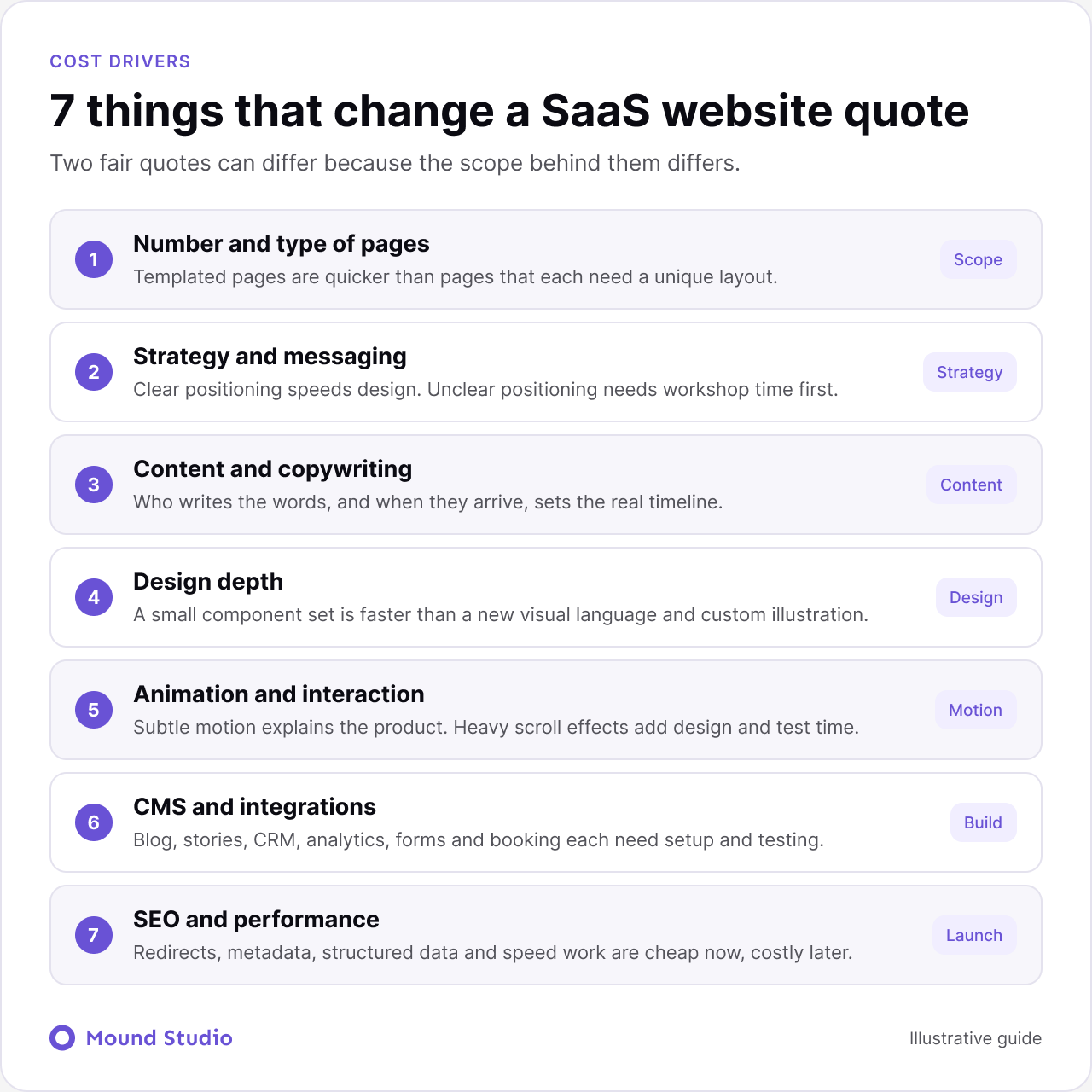
Count pages, then count templates. Ten pages built from two templates are cheaper than ten pages that each need a unique layout. Ask every agency how many unique layouts their quote includes, not only how many pages.
If your positioning is clear, design can move fast. If it is not, someone has to work out who you sell to and why they should care before any layout makes sense. That work has a cost, and skipping it usually costs more later, in rewrites and redesigned sections.
Who writes the words? Content is the most common reason a website project runs late. If your team writes it, agree on dates. If the agency writes it, check how many rounds of edits are included and who supplies product facts.
Working inside a clear brand and a small component set is quicker than building a new visual language with custom illustrations, icons, and product visuals. A design system pays off when several people will add pages later. Our guide to what UI/UX design costs explains how design depth affects a budget.
Subtle interaction helps explain a product. Heavy scroll animation takes design time, build time, and testing on slower phones. Decide which two or three moments deserve motion and keep the rest still.
A blog, customer stories, and a resource library need a proper CMS structure. Connections to your CRM, analytics, forms, chat, and booking tools add setup and testing. Every extra tool is one more thing that can break at launch.
Redirects, metadata, structured data, and speed work are easy to skip and expensive to add later. If you are replacing an existing site, this line item protects the traffic you already earn.
Take a B2B product team with a working sales process. They want a site that supports demos and shows the product to three types of buyers. Here is how we would turn that into a scope, without any prices attached.
Written this way, any agency can quote against the same list. If one quote is higher, you can see whether it includes more templates, more writing or more testing. That is the value of scoping first.
Most SaaS projects land in one of three shapes. Use these as a way to talk about scope, not as price tiers.
| Scope level | What it covers | Typical fit |
|---|---|---|
| Lean launch | Home, product, pricing, contact, simple blog | Early teams testing a message |
| Growth site | Feature and use case pages, stories, resource hub, CRM forms | Teams with a repeatable sales process |
| Platform site | Component library, several audiences or languages, advanced CMS, support plan | Scaling products with several editors |
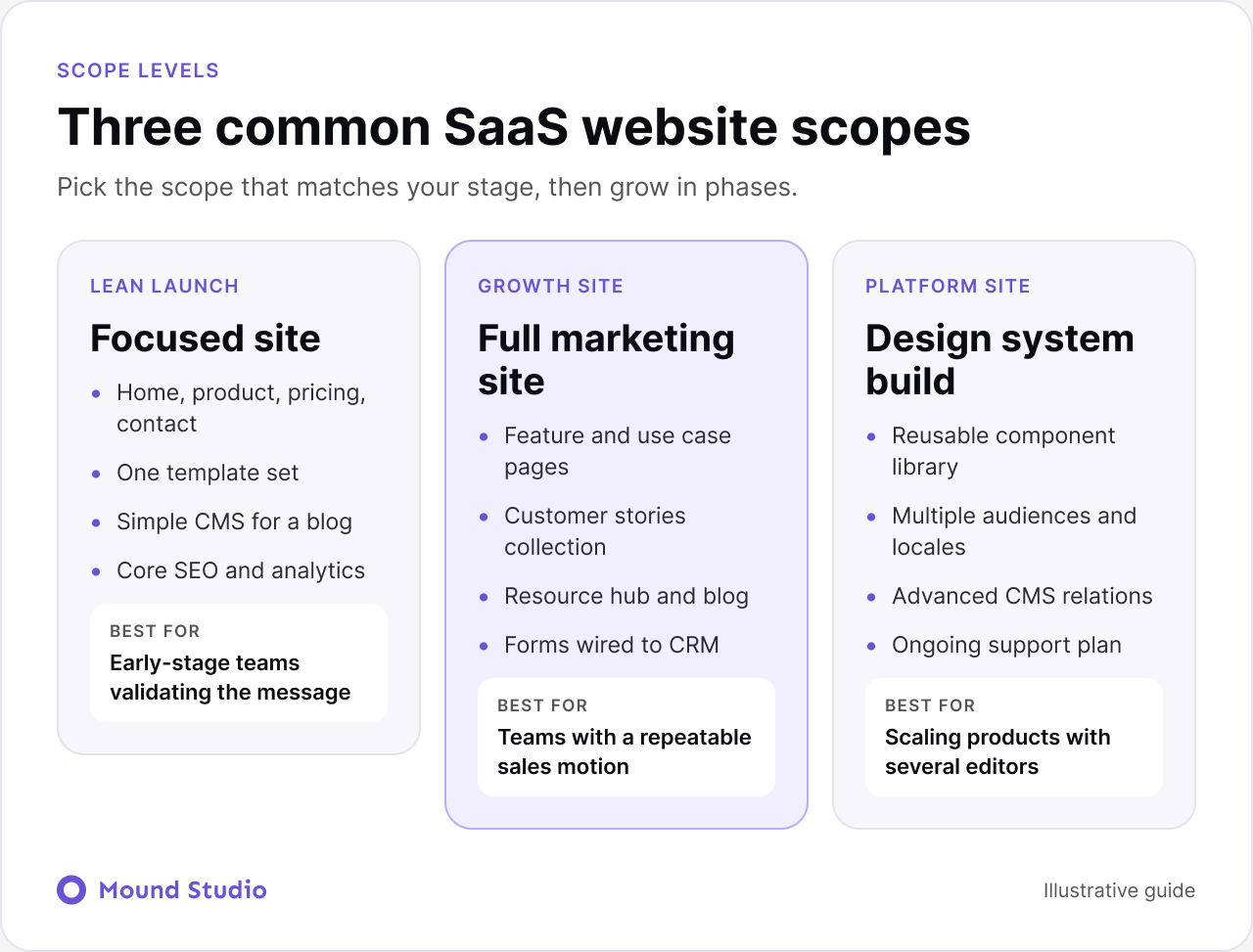
The lean launch is not a lesser version. For a young product it is often the smarter choice, because you learn what visitors respond to before you commit to a large build.
A good agency works in a clear order. You can run the same steps yourself before you talk to anyone.

For most SaaS marketing sites, Webflow is a strong fit. Your marketing team can update pages and publish posts on its own, and hosting is handled for you. WordPress makes sense when you need very large content libraries or deep plugin support. A fully custom build is rarely necessary for a marketing site, though the product behind the login may need one. Our Webflow vs WordPress comparison and our guide to custom development vs no-code cover the trade-offs. Choose based on who edits the site after launch, not only on build cost.
A useful quote lists deliverables, not just a total. Use this table to check each one.
| Line item | What to ask | Warning sign |
|---|---|---|
| Pages and templates | How many unique layouts are included? | Only a page count, no template count |
| Copywriting | Who writes it, and how many edit rounds? | Content is not mentioned |
| Revisions | How many rounds, and what counts as one? | Unlimited rounds with no schedule |
| CMS setup | Which collections are built and trained? | "CMS included" with no detail |
| Integrations | Which tools, and who tests them? | Vague "third-party setup" |
| SEO and redirects | Who maps old URLs and sets metadata? | Nothing about existing rankings |
| After launch | Support, training, and fixes for how long? | Handover ends at go-live |
Also ask who owns the design files and the finished site. You should own both.
Read it twice. The first time, look for what is included. The second time, look for what is missing. Match every line to your list, and mark anything that is vague. Then ask short, direct questions.
A good agency answers these without fuss. A quote that cannot answer them is usually hiding gaps.
Phasing spreads cost and lowers risk. Launch the pages that carry your goal first, usually the home page, the product pages, pricing and the demo flow. Add the resource hub, extra use cases and deeper stories in a second phase, once you see which pages visitors actually use.
Phasing works best when the first build sets up reusable components, so later pages are faster to add. It also gives your team time to write good content for the second phase instead of rushing it. For ideas on what the key pages should do, our guides to SaaS landing page design and how to design a website that converts are useful companions.
If your structure and message work but the visuals feel dated, a redesign of the existing site may be enough. If pages are slow, hard to edit, or built on tools your team dislikes, a rebuild is usually the better long-term choice. Our website redesign checklist helps you tell the difference and sets out the order of work.
A short, clear brief makes the first conversation more useful for both sides. Bring the one-sentence goal, the page map, examples of sites you admire, the tools you use, and a realistic launch window. If you have never written one, our guide to a website design brief shows the parts to include. Even a one-page version helps an agency give you a scoped quote instead of a guess.
A SaaS website is priced by scope, so start with a clear list of pages, content, and goals. A specific scope gives you a specific quote, and it protects you from surprise costs later.
Planning a new SaaS site? Share what you need and we will help you scope it properly.
Because the scope behind them varies. A five-page marketing site and a full site with product pages, a blog, integrations, and a design system are different projects. Compare page count, unique layouts, copy, CMS, and integrations before you compare totals.
Webflow suits most SaaS marketing sites, since your marketing team can edit content without waiting on developers. The product itself, behind the login, is built separately.
It depends on page count and how fast content and feedback arrive. Waiting on copy and approvals is the most common delay, so settle both before design starts.
If the structure and message work but the visuals feel dated, a redesign may be enough. If pages are hard to edit or slow, a rebuild often makes more sense. Sort problems into page-level and whole-site to decide.
Your team knows the product best, and a copywriter knows how to structure a page. Many projects split it: your team supplies facts and proof, and the writer shapes them. Agree on this before you compare quotes.

.png)


