








.avif)
.avif)
.avif)

Ai
AI in UX Design: How Designers Use AI in 2026
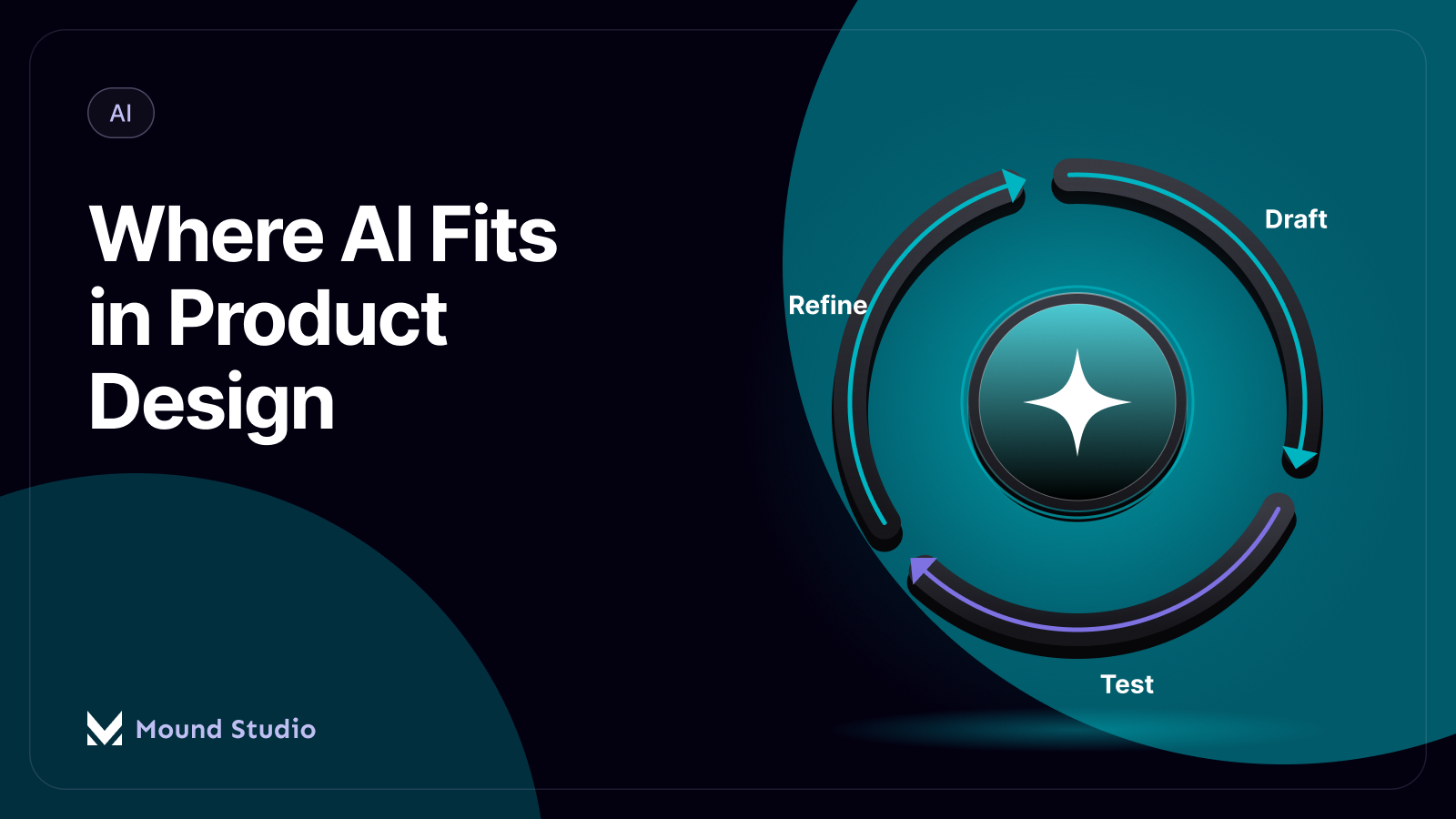
AI now touches nearly every stage of product design work, but it earns its place best as an assistant inside a workflow you already run, not as a replacement for that workflow. It is strongest at synthesis, first-draft generation, and mechanical checks like accessibility scans. It is weakest at reading ambiguous signals, weighing trade-offs, and understanding why a decision matters for a specific product and the people using it. A working setup uses AI to speed up input and output at each stage, while a designer stays in charge of every call that carries real consequences.
Across a typical product design workflow, this is roughly how the split lands:

"AI tools" is not one thing. Inside a design workflow it usually means a handful of different categories doing different jobs: language models that summarize and draft text, generative layout tools that propose wireframe structures, automated scanners that check accessibility rules, and assistants that turn finished work into documentation. Knowing which category you are actually using matters, because a summarizer and a layout generator fail in different ways and need different review steps. The stages below are where we have found these tools earn their spot in a real workflow, provided the output still passes through a review step before it ships.
Interview transcripts, support tickets, and survey exports pile up fast, and reading all of it line by line is slow. AI tools can scan that raw material and group it into repeated themes, quotes, and pain points in a fraction of the time a manual pass takes. That first grouping is a starting point, not a finished insight. A designer still has to check whether the grouping reflects what users actually meant, whether outlier feedback got buried under louder themes, and whether the synthesis missed context that only comes from sitting in the interviews.
Early ideation benefits from having more options on the table, and this is one of the places AI tools help the most. Prompted variations on a layout direction, a flow, or a concept can surface angles a team would not have generated on their own in the same amount of time. The value is in the spread, not in any single output being the answer. Picking which direction is worth developing further still depends on a grasp of the product, the brand, and the constraints that a prompt cannot fully capture.
Once a direction is set, AI-assisted layout tools can turn a rough brief into a first-pass wireframe quickly, which is useful for getting a structure in front of stakeholders sooner. The catch is that these first passes rarely respect an existing component library or established interaction patterns, so someone still has to rebuild the structure with real components before it goes further. Treat the AI wireframe as a sketch that saves time on layout thinking, not as a deliverable.
Designing against placeholder text like "lorem ipsum" hides real problems: headings that do not fit, labels that read wrong, and content that will not actually exist. AI-drafted copy gives a layout real words to design around much earlier in the process, which surfaces those problems before development starts. That draft copy still needs an editing pass for tone, accuracy, and the specific voice of the product before anything ships, since AI drafts tend to read generically until someone shapes them.
Contrast ratios, missing alt text, heading structure, and label associations are mechanical checks that AI-powered scanners handle well and consistently. Running these scans before a design review catches a category of issues that used to surface late, often after a build was already underway. We treat scan results as a starting checklist rather than a pass or fail grade, since automated tools miss judgment calls like whether an interaction actually makes sense to someone using a screen reader. For a deeper look at how a full manual and automated pass fits together, see our guide on how to run a UX audit.
Documentation is the task most teams put off, which is exactly why AI assistance helps here. Component notes, state descriptions, and spec summaries can be drafted from a finished design while the designer moves on to the next screen, instead of getting written up days later from memory. A designer still needs to confirm the draft matches the actual design decisions, since an AI summary can describe what a screen looks like without capturing why it was built that way.
| Workflow stage | What AI handles well | What we still check by hand |
|---|---|---|
| Research synthesis | Grouping raw notes into themes | Whether the grouping reflects real user meaning |
| Ideation | Generating a wider set of directions | Which direction actually fits the product |
| Wireframing | A fast first-pass layout structure | Fit with existing components and patterns |
| Copy drafts | First-pass headings and microcopy | Tone, accuracy, and product voice |
| QA and accessibility | Contrast, alt text, and label scans | Judgment calls a scanner cannot make |
| Handoff | Draft component notes and specs | Whether the write-up matches the real decisions |
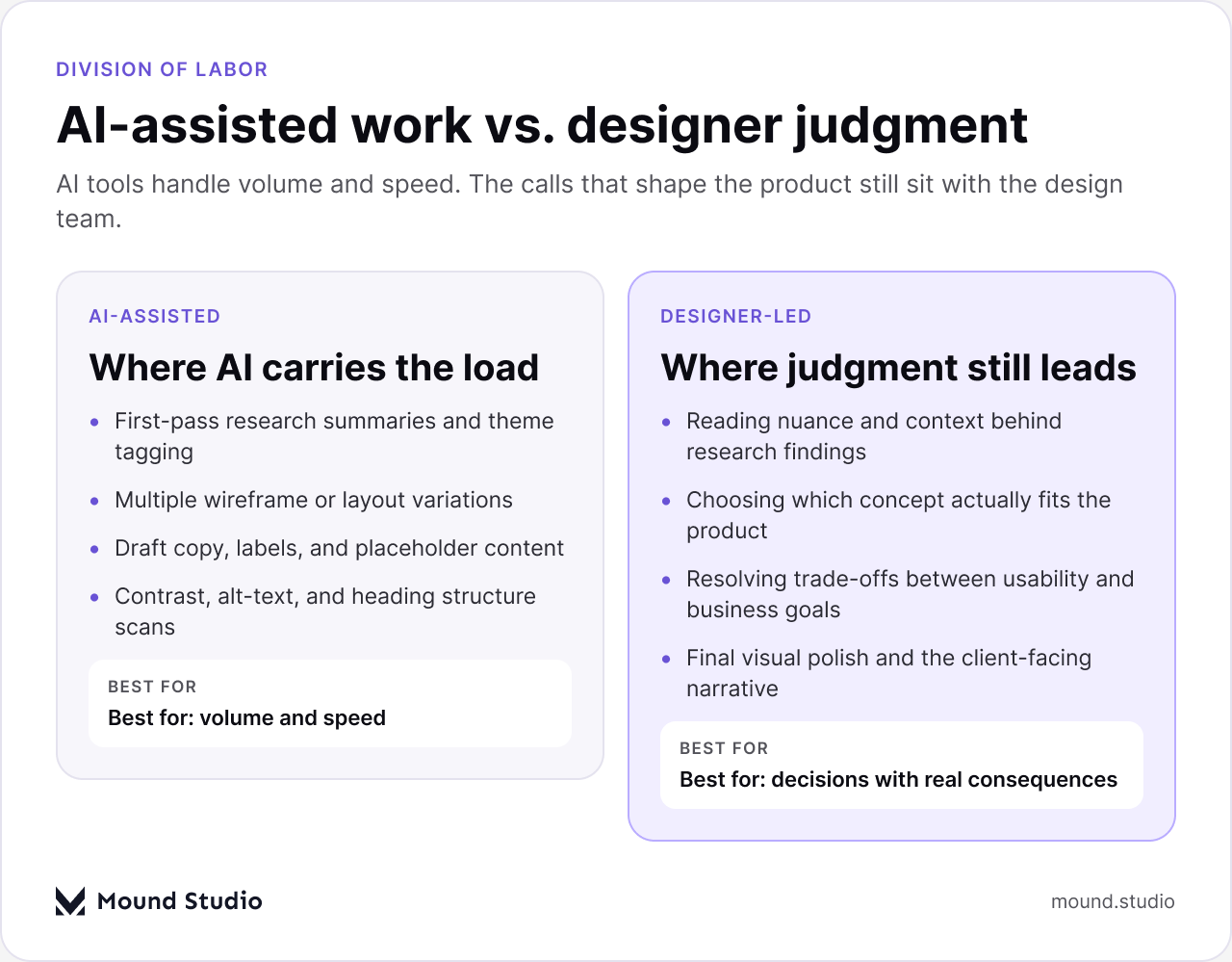
The stages above show where AI tools save real time. They also show a pattern: every AI-assisted step still ends with a person confirming, editing, or overriding the output. That is not a limitation to work around, it is how the split should work. AI is good at producing volume and covering mechanical ground quickly. It is not equipped to weigh a trade-off between two reasonable options, read the specific context behind a user's frustration, or decide what a brand should say in a moment that matters to a client's business.
Final visual polish is a clear example. AI-generated layouts can look complete at a glance, but the details that make a product feel considered, spacing that responds to real content, hierarchy that matches how people actually scan a screen, states that account for edge cases, come from a designer working through the specific product, not from a general pattern. The same goes for the narrative a design tells a client or a stakeholder about why a decision was made. AI can help describe what was built. It cannot stand behind why it was the right call, because it was not the one making the call. Our guide on how designers use AI across UX work goes further into where that judgment gap shows up day to day.
Teams that add AI tools to a design workflow without a plan tend to end up in one of two places: either nothing changes because no one trusts the output, or everything changes too fast and quality drops because there is no review step. A better path is to sequence the rollout by how much setup a task needs and how much time it actually saves. The same build-versus-buy logic shows up when a team weighs an AI website builder against a custom build, which we cover in our comparison of AI website builders and custom design: speed and low setup on one side, fit and long-term control on the other.
Start with tasks that are quick to set up and already save real time: research synthesis and accessibility scanning are common first steps, because they need little preparation and the output is easy to check against the source material. Wireframe generation saves time too, but it needs a trained pattern or component reference in place first, so it tends to pay off once that groundwork exists rather than on day one. Copy and label drafts are fast to try but almost always need a full editing pass, so treat them as a speed boost on the first draft stage, not a finished deliverable. Final visual polish is the one stage where we have not found an AI shortcut worth the rework it creates, and we keep that stage fully designer-led.
It also helps to set the review step at the same time you introduce the tool, rather than adding it after something ships wrong. A research synthesis review means someone checks the AI-grouped themes against a sample of the raw transcripts, not just against the summary itself. An accessibility scan review means someone works through the flagged items manually, including the ones a scanner tends to miss, like whether a focus order actually makes sense. A wireframe review means checking the generated structure against the product's real component library before anyone treats it as a starting point for visual design. Building the review step into the rollout from day one is what keeps the time AI saves from getting eaten up later by rework.

| Task type | Good starting point for AI | Keep designer-led from the start |
|---|---|---|
| Research synthesis | Yes, with a review step | — |
| Generating design directions | Yes, for volume | Choosing the direction |
| Wireframe structure | Once patterns exist | Fit with real components |
| Copy and microcopy | Yes, as a first draft | Final tone and accuracy |
| Accessibility scanning | Yes, as a first pass | Manual judgment checks |
| Final visual design | Not recommended | Yes, fully |
Once AI is doing first drafts across a few stages, a design review has to look at more than the finished screen. It also has to account for where each part of the work came from. A review that only asks "does this look right" will let a generic AI-drafted headline or an off-pattern wireframe through, because both can look plausible at a glance. A review that also asks "which parts were AI-assisted, and were they checked" catches the gap before it reaches a client or ships to production. This does not need to be a heavy process. In practice it is usually one extra question in an existing review meeting, plus a habit of flagging AI-assisted sections when work gets shared for feedback.
AI fits into a modern product design workflow as a set of tools inside stages a team already runs, not as a new workflow on its own. Use it to synthesize research, widen the option set, speed up first drafts, and catch mechanical issues early, and keep a designer's judgment on everything that decides how the product actually looks, feels, and works for the people using it. If you want a second opinion on where AI actually fits your team's workflow, get in touch with Mound Studio.
No. AI speeds up specific tasks like research synthesis, first-draft wireframes, draft copy, and accessibility scans, but choosing a direction, resolving trade-offs, and final visual judgment still need a designer.
Research synthesis, generating a wider set of ideas, first-pass wireframes, draft copy, and mechanical accessibility scans see the clearest time savings, since each has a lot of repetitive input to work through.
Usually not. AI-drafted copy is useful for designing against real words early, but it still needs an editing pass for tone, accuracy, and the product's specific voice before it ships.
Start with one low-setup task, such as research synthesis or accessibility scanning, add a required human review step, and track how much editing the output actually needs before adding more tools.
Not usually. AI-generated layouts rarely match an existing component library or interaction patterns, so someone still has to rebuild the structure with real components before it moves forward.


.png)


