








.avif)
.avif)
.avif)

Branding
What Is Included in a Brand Identity Package? A Clear Breakdown for 2026

Color is often the first thing people remember about a brand, before the name or the logo shape. A consistent palette makes your website, product, ads, and documents feel like one company. A random one makes even good work look disorganized.
But choosing brand colors is not about picking a favorite. It is about choosing colors that express your positioning, stand apart from competitors, and hold up in real use: buttons, charts, dark mode, print, and small screens. This guide walks through the process we use, step by step, with examples, a mistakes list, and a checklist at the end.
To choose brand colors, start from your brand strategy and personality, look at what competitors use, pick one primary color that is ownable in your market, add a small set of secondary and neutral colors, test contrast for accessibility, and document the palette with clear usage rules. A common starting point for balance is the 60-30-10 rule.
The rest of this article explains each step and shows where teams usually go wrong.
Write down three to five words that describe your brand personality, such as calm, bold, premium, playful, or technical. Colors should express those words. A trendy gradient might look great on an inspiration site and still say the wrong thing about a law firm or a children's app.
Then add two more lines: who you are talking to, and what you want them to feel in the first five seconds. Trust? Energy? Relief? Those answers narrow the field far faster than a mood board does.
Imagine a payroll tool for small businesses. The personality words are dependable, friendly, and clear. Those point toward a steady mid-tone primary, warm neutrals instead of cold grays, and one bright accent for buttons. Now imagine a late-night cocktail bar. The words are moody, intimate, and confident. That points toward deep, low-light colors with a warm metallic accent. Same process, very different palettes.
| Personality | Color direction | Watch out for |
|---|---|---|
| Calm and trustworthy | Muted blues and greens, soft neutrals | Looking generic next to every competitor |
| Bold and energetic | Saturated primary with a strong contrast partner | Fatigue if used across large areas |
| Premium and refined | Deep tones, restrained accents, lots of neutral space | Low contrast text on dark backgrounds |
| Playful and friendly | Bright secondary colors, rounded warm neutrals | Too many equal-weight colors |
Collect the logos and websites of your main competitors and look at their colors side by side. Put them in a simple grid. You will often see a pattern: many fintech brands use blue, many wellness brands use green. Using the same color is not always wrong, but it makes standing out harder.
Look for a color space you can own. That does not always mean a color nobody uses. It can mean a different shade, a different pairing, or a color used in a different way, such as a bold flat background instead of a thin accent line.
Colors carry associations, but they depend on culture, context, and the other colors around them. Red can mean urgency, love, or a warning. White can mean cleanliness in one region and mourning in another. Use associations as a guide for discussion, not a rulebook.

If you sell in more than one country, ask someone local to review the palette before it is final. A quick check now is cheaper than a repaint later.
Treat associations as a way to start a conversation, then test them against your own story. If your industry defaults to blue for trust, ask whether trust is really your main message. Perhaps your point of difference is speed, warmth, or craft. Pick the color that supports that point. Then check that it still feels credible to your buyers. A surprising color can work well when the copy, photography, and layout are calm and clear around it.
A practical brand palette has layers, and every layer has a job. Building it in this order keeps the palette from turning into a pile of favorite colors.
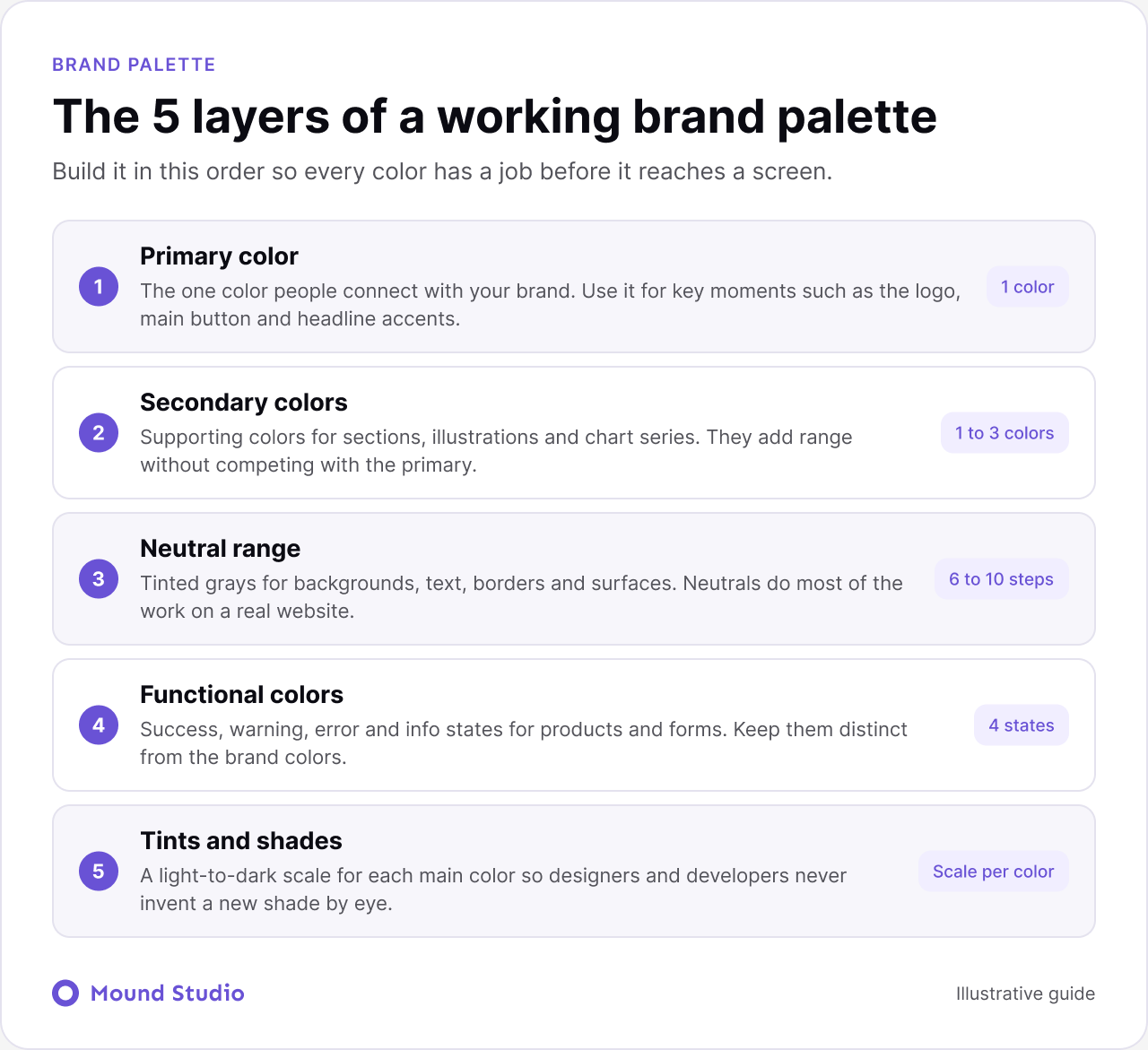
The one color people should connect with your brand. Use it for key moments, not everywhere. If everything is the primary color, nothing stands out.
One to three supporting colors for variety in illustrations, sections, and charts. They should feel related to the primary, not like a second brand.
A range of grays or tinted neutrals for backgrounds, text, borders, and surfaces. Neutrals do most of the work on a website, so give them as much care as the brand colors. A slightly warm or cool tint in the neutrals can make the whole palette feel more intentional.
For digital products, define success, warning, error, and info colors, and keep them distinct from the brand colors so a red brand does not make every button look like an error. Then create a light-to-dark scale for each main color, so designers and developers have options without inventing new shades by eye.
A simple way to apply a palette is the 60-30-10 rule. About 60 percent of a layout uses a dominant color, often a neutral. About 30 percent uses a secondary color for sections and supporting elements. About 10 percent uses an accent color for buttons, links, and highlights.
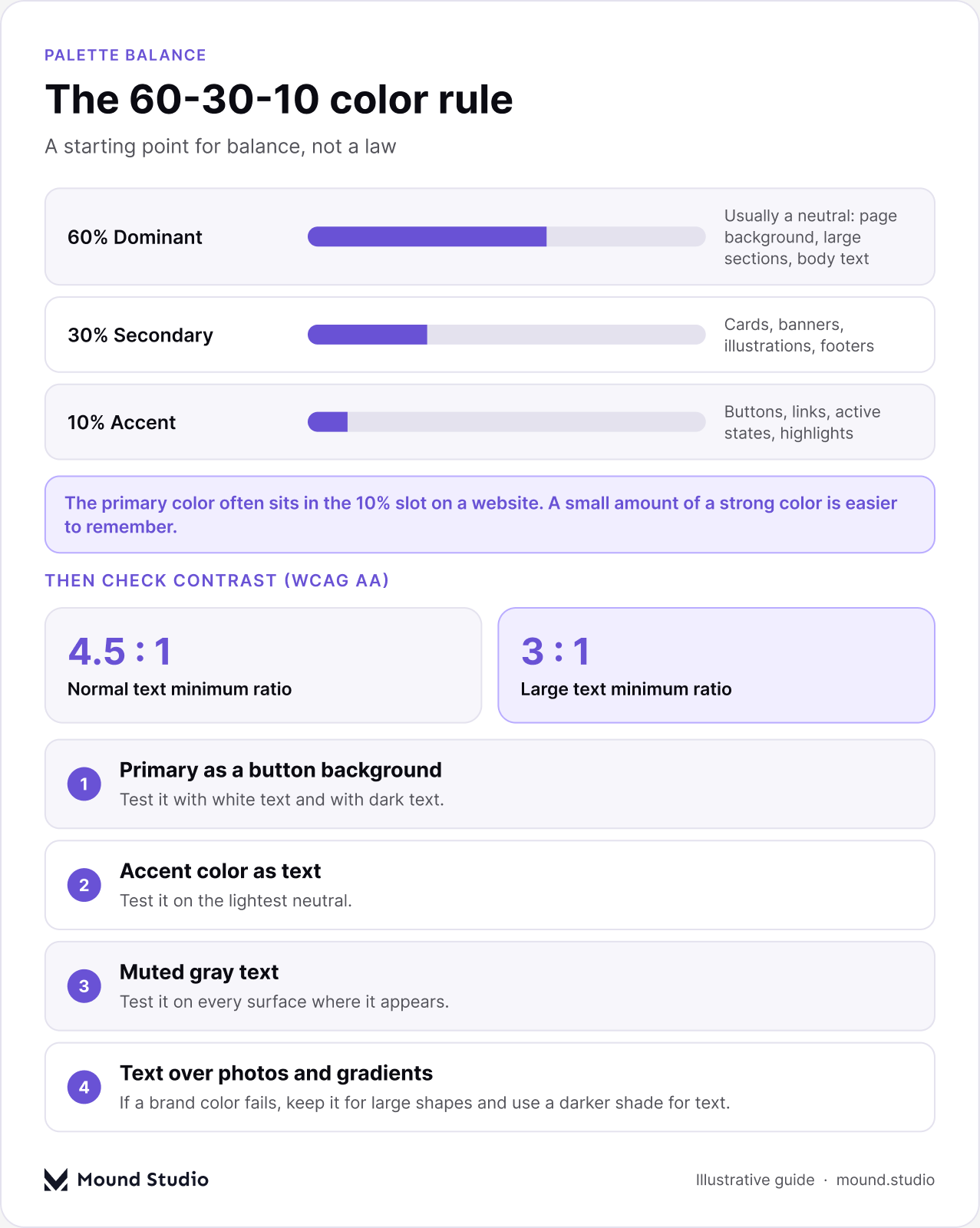
It is a starting point, not a law, but it prevents layouts where every color fights for attention. Here is how the rule maps onto a typical website.
| Share | Role | Where it shows up |
|---|---|---|
| About 60% | Dominant neutral | Page background, large sections, body text |
| About 30% | Secondary color | Cards, banners, illustrations, footers |
| About 10% | Accent or primary | Buttons, links, active states, highlights |
Notice that the primary color often lives in the 10 percent slot on a website, even though it defines the brand. That is normal. A small amount of a strong color is easier to remember than a lot of it.
Picture a services homepage. The page background and body text sit in soft neutrals, which covers most of the screen. Feature sections and cards use the secondary color, which adds structure. Buttons, links, and one highlighted word in the headline use the accent. When you squint at the page, you should see calm areas and a few clear points of focus. If the accent appears in too many places, the buttons stop looking special. If the secondary color takes over, the page feels heavy.
Beautiful colors fail if people cannot read the text. WCAG AA requires a contrast ratio of at least 4.5:1 for normal text and 3:1 for large text. Test every text and background pairing in your palette before you commit.
If a brand color fails, you do not have to drop it. Keep it for large shapes and backgrounds, and create a slightly darker shade for text and small elements. Our website accessibility checklist covers the rest.
Put the palette on real assets: the homepage, a product screen, a social post, a presentation slide, and a printed business card. Check it on different screens and in dark mode if you support it. Colors that look good as swatches can feel very different on a full page.
Record every color with its HEX, RGB, and CMYK values, name each one, and explain when to use it and when not to. Add the colors as variables in Figma and as tokens in your code so they stay consistent. This belongs in your brand guidelines, which we describe in what a brand identity package includes.
If your team builds product screens, connect the palette to a system. Our guide to building a design system shows how colors become tokens that developers can use directly.
Most palettes go wrong because the work starts with swatches instead of decisions. Someone finds a color they like, and the rest of the palette is built to justify it. Instead, decide the job of each color first: what leads, what supports, what stays quiet, and what signals status. Then choose shades to fill those jobs. Write the result down while the reasoning is fresh. Our guides on what to include in brand guidelines and the elements of a brand identity show where the palette sits next to type, logo, and voice.
Here is a pattern we see often, described as typical practice rather than one specific client. A young software company has a logo but no real palette. Every designer has picked their own blue, and the site, the app, and the slides all look slightly different.
The team starts with personality words and lands on dependable, direct, and warm. A competitor grid shows almost every rival using a similar cool blue. The team chooses a deeper teal as the primary, because it stays in the same family but is easy to tell apart. They add one warm accent for calls to action and a set of tinted neutrals so pages do not feel cold.
Then comes testing. The teal passes on white for large text but not for small links, so a darker shade is created for text. The palette is tried on the homepage, a product screen, and a slide. Finally, every color is named, added as a Figma variable, and written into the guidelines. Within a week, new pages match without anyone needing to ask which blue to use.
If you are launching a new brand, follow all eight steps in order. If you already have a palette that mostly works, start at Step 6 and fix contrast and documentation first. If the strategy itself has changed, treat this as part of a rebrand and start with an audit of what customers already recognize.
Brand colors are hard to change once they are on your product, website, and printed materials, so they are worth testing properly before launch. Our brand identity team builds palettes that work across every screen and surface. Tell us about your brand and we will help you choose colors you can own.
Most brands work well with one primary color, one to three secondary colors, and a full range of neutrals. Digital products also need functional colors for success, warning, error, and info states. That is a system of roughly five layers, not a long list of favorites.
It is a balance guideline: about 60 percent of a layout uses a dominant color, usually a neutral, 30 percent a secondary color, and 10 percent an accent for key actions and highlights. Treat it as a starting point and adjust from there.
Colors carry common associations, but they change with culture, context, and the colors around them. Use associations as a prompt for discussion alongside your positioning and competitor research, never as a fixed rule.
Test every text and background pair with a contrast checker. WCAG AA requires at least 4.5:1 for normal text and 3:1 for large text. Check buttons, links, placeholder text, and text over images too.
Usually, yes. A distinct primary color makes your brand easier to recognize, especially in categories where most companies use the same color. You can share a color family and still own a specific shade, pairing, or way of using it.



.png)


