








.avif)
.avif)
.avif)

SEO & AEO
How to Do an SEO Content Audit (Step-by-Step Guide)
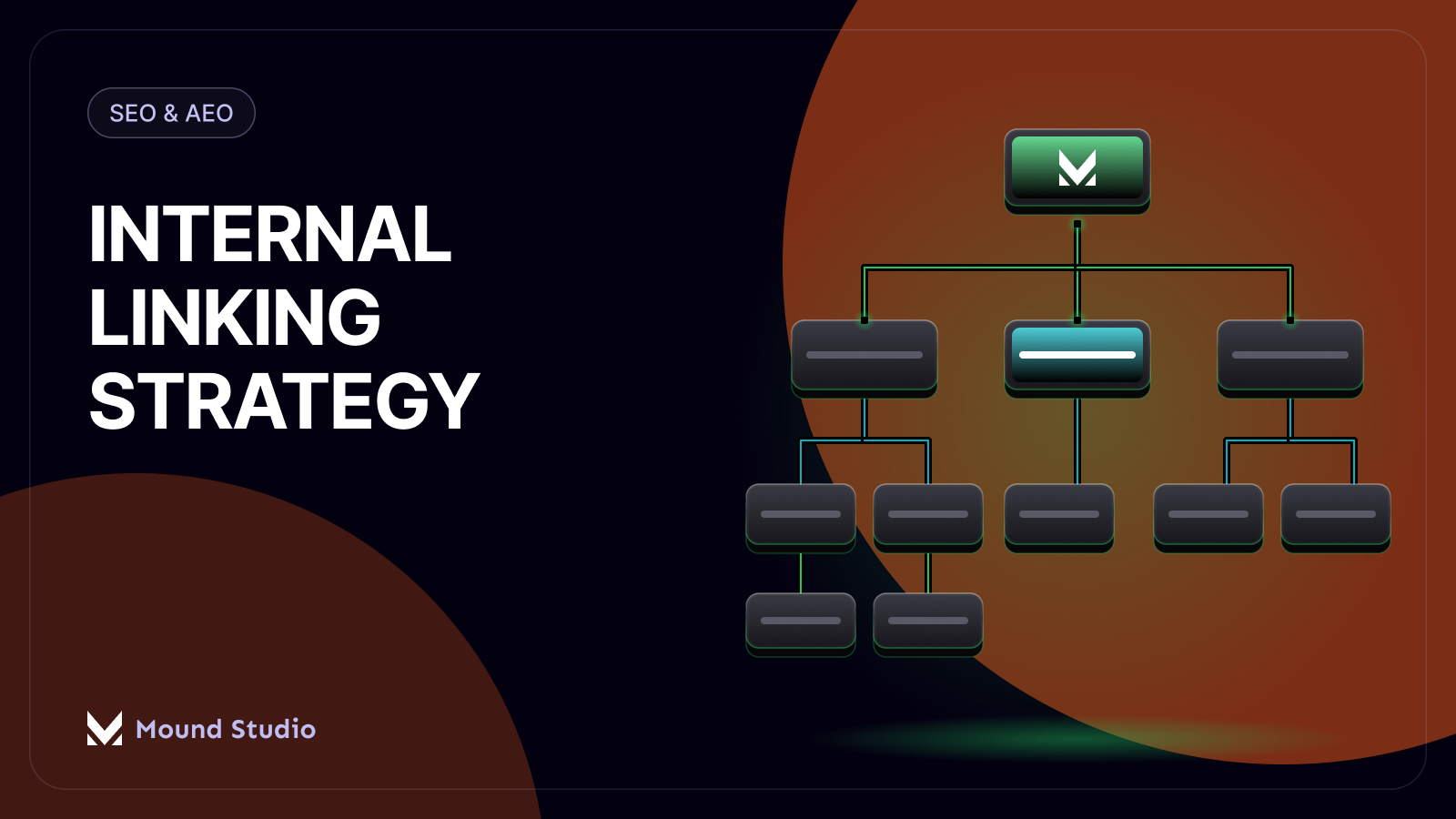
A good internal linking strategy means every important page on your site is reachable in a few clicks, gets links from pages that already carry authority, and uses anchor text that actually describes what it links to. Get those three things right and search engines can find and understand your priority pages, and visitors can get from a blog post to a service page without hunting for a menu item.
Internal linking is one of the few SEO levers you fully control. You cannot control who links to you from outside, but you decide which pages on your own site link to which other pages. Treated as a real content structure instead of an afterthought, internal linking spreads authority from your strongest pages to the ones you want to rank, keeps every page reachable, and gives visitors an obvious next step.
The most reliable internal linking model for a content-heavy site is pillar and cluster. A pillar page covers a broad topic at a high level and is built to rank for the main, high-volume search term. Cluster pages sit underneath it, each one going deep on a single sub-topic, and each one links back up to the pillar using varied, descriptive anchor text. The pillar links down to its clusters, the clusters link up to the pillar, and occasionally sideways to each other when it actually helps the reader.
This structure matters for two reasons: it tells search engines which page is the authoritative one for a topic area, since that's the page receiving the most internal links from related content, and it gives readers a map, with an obvious path from any cluster page to the broader topic.

A practical way to build this without redesigning your whole content library: pick the handful of topics your business wants to be known for, designate one pillar page per topic, then audit your existing posts and assign each to a pillar as a cluster. A post that doesn't clearly belong under a pillar is either worth reworking so it does, or worth leaving as a standalone piece that still gets linked from relevant places.
The short answer: use descriptive, natural phrases most of the time, save exact-match keyword anchors for the rare link where that phrase is truly what the page is about, and avoid repeating the same anchor text across dozens of links site-wide. Anchor text is one of the strongest signals you send search engines about what a linked page covers, which is why over-optimizing it backfires. A page that receives the identical exact-match phrase from every internal link looks engineered rather than naturally written, and wastes the chance to reinforce related terms it should also rank for.
In practice, most internal links should read like a human wrote the sentence first and the link fell naturally inside it: "our technical SEO checklist for a website redesign" rather than a bare phrase dropped at the end of a paragraph. Exact-match anchors still have a place, just a smaller one than people assume, reserved for links where the keyword phrase really is the clearest description of the destination.
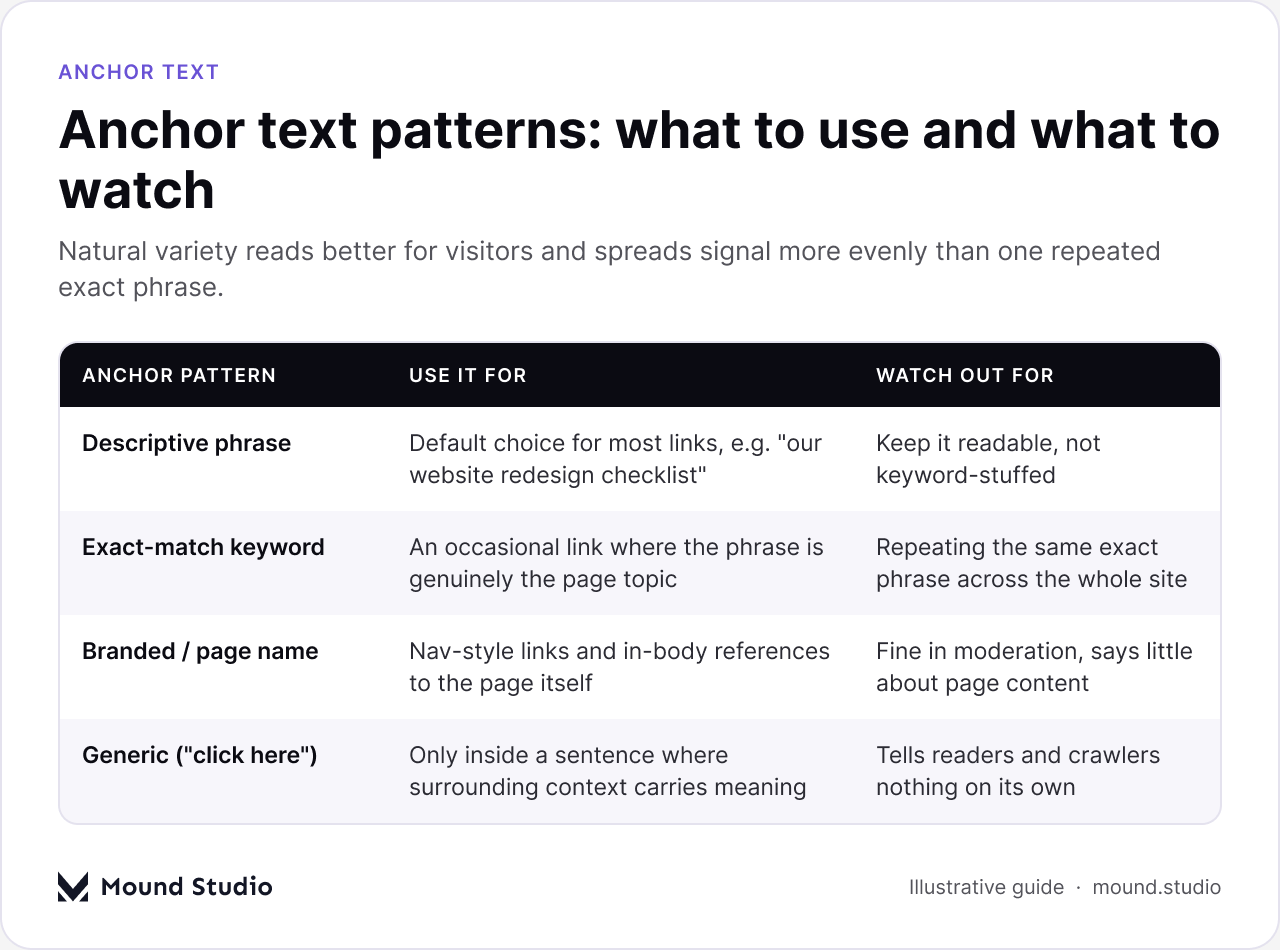
Branded anchors (your business or page name) and generic anchors ("click here", "read more") both have legitimate uses in navigation, but neither tells a reader or a crawler what the destination page is about, so neither should be your default choice for in-body links.
| Anchor Type | When to Use | Default Share of Links |
|---|---|---|
| Descriptive / natural phrase | Most in-body links, written as part of the sentence | Majority of your internal links |
| Exact-match keyword | Occasional link where the phrase is the clearest description | A small minority |
| Branded / page title | Navigation, cross-references, "read next" modules | A small, steady share |
| Generic ("click here") | Only inside a sentence where context carries the meaning | Rare, used sparingly |
Not every page on your site carries the same weight. Your homepage, your highest-traffic blog posts, and any page with a healthy number of external links pointing at it are your strongest internal pages. Those pages should actively link down to the pages you most want to rank or convert, whether that is a core service page, a pillar page, or a newer topic you want to build authority for.
This is the opposite of how most sites default to linking: everything to the homepage, newer content left to fend for itself. A deliberate approach treats your strongest pages as a budget to spend: a sentence added to your top blog posts, a "related services" block on your highest-traffic page, a link from the homepage copy into the pillar page for your newest service line.
There is no fixed number that works for every page, but there is a sane range: most long-form articles do well with roughly five to fifteen internal links, depending on length and how many truly relevant related pages exist. A 2,000-word guide with zero internal links is a missed opportunity; a 600-word page with forty links crammed into it reads like a directory, not an article, and dilutes the value of every link.
A more useful rule than a hard number: every internal link should exist because it helps the reader at that point in the sentence, not because you are trying to hit a quota. If you find yourself adding a link purely to pad the count, that is a sign to stop and either remove it or actually improve the page it points to so the link earns its place.
An orphan page is any indexable page on your site with no internal links pointing to it. Search engines can sometimes still find it through your sitemap, but a page nobody links to internally is effectively invisible to visitors, and it's a weak signal too: if your own site doesn't think a page is worth linking to, why would anyone else?
Orphans happen quietly: a post gets published before the pillar page it belongs under exists, a service page is added during a redesign but never gets linked from related content, an old category page stops being linked from anywhere once a site's structure changes. None of these are deliberate mistakes, which is why they need a regular check rather than a one-time fix.
The fix is simple once you know a page is orphaned: find at least one, ideally two or three, truly relevant pages and add a natural link from each one. If you cannot find any relevant page to link from, that is often a sign the page itself does not fit your site's structure and should be merged, redirected, or reworked rather than left isolated.
An internal link audit has two halves, and skipping either one leaves gaps. The first is a crawl: run a site crawler to map every indexable page and every internal link between them. This surfaces orphan pages, pages buried too many clicks deep, broken links pointing at deleted or moved URLs, and pages with an unusually high or low number of links relative to their importance. It pairs well with a broader SEO content audit, since content gaps and linking gaps tend to show up together.
The second half is manual, and it matters more than people expect. A crawl tells you a link exists; it does not tell you whether the anchor text is varied or whether the page it points to still makes sense as a destination. Reading a handful of your most important pages as a visitor would, and clicking through the links, catches problems a crawl report cannot.
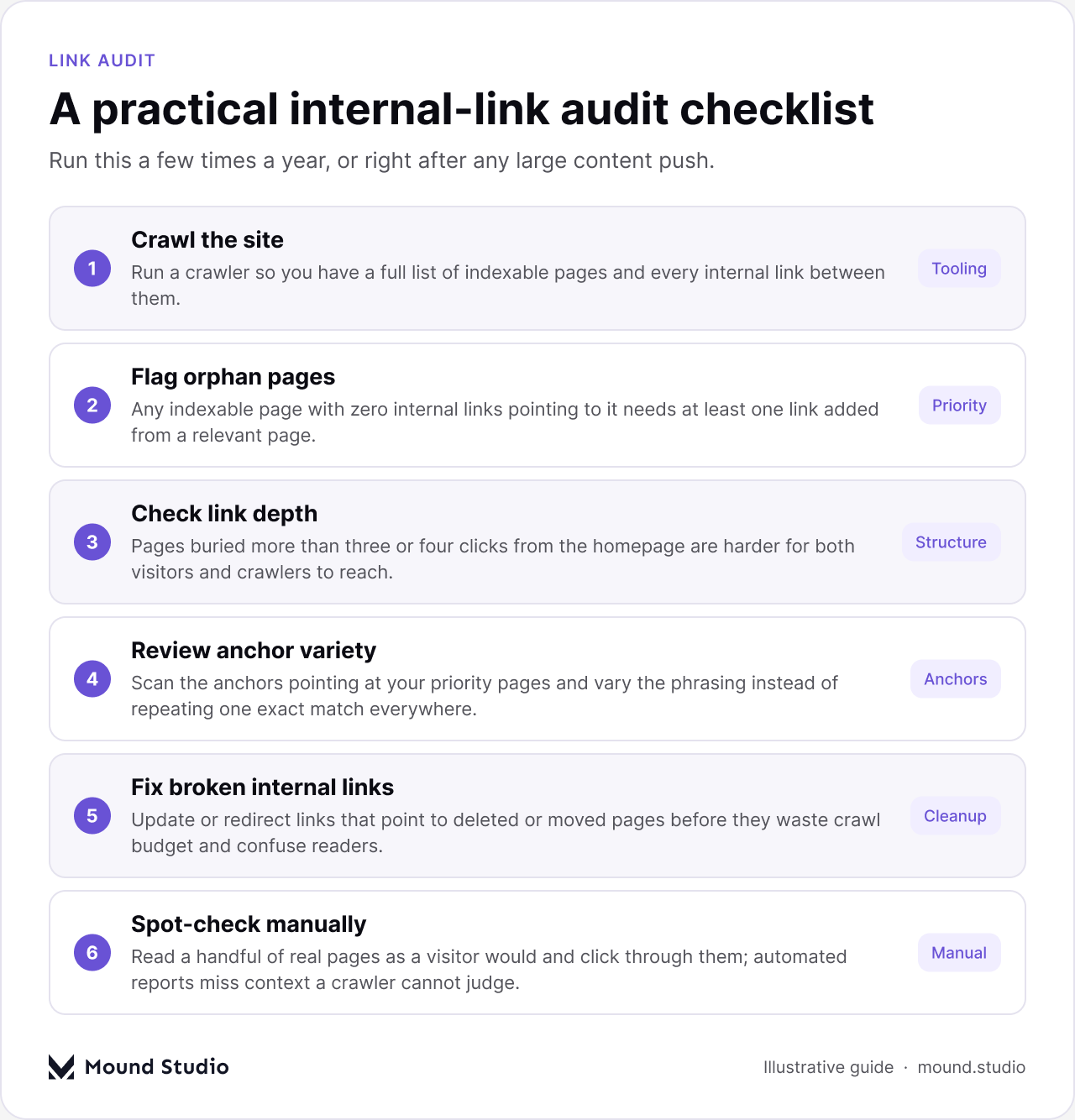
Run this audit on a regular schedule, not only when something looks obviously broken. Content libraries drift: new posts get added without being linked into the right cluster, old campaigns leave dead links behind, and priority pages change as your business changes. A few times a year, or right after any large content push, is a reasonable cadence for most sites.
| Audit Step | What It Catches | Frequency |
|---|---|---|
| Full site crawl | Orphan pages, broken links, excessive link depth | Each audit cycle |
| Anchor text review | Over-repeated exact-match phrases, generic anchors | Each audit cycle |
| Manual spot checks | Context, relevance, links technically present but poorly placed | Each audit cycle |
| Priority page review | Whether your most important pages still get enough internal links | After major content pushes |
One of the simplest ways to keep internal linking healthy without manual upkeep is to let your content management system do part of the work. This blog, for example, uses a related posts field on every article: when a post is published, it links out to a small set of relevant posts automatically, and because it is a CMS field rather than hand-coded HTML, it stays current as the related set changes. An article on Core Web Vitals, for instance, can surface this piece and vice versa, without anyone manually re-wiring old posts.
A related posts pattern like this does three things a manual-only approach struggles with: it guarantees every published post has outbound internal links the moment it goes live, which helps avoid orphan pages at the source; it spreads link equity to older, related content every time something new is published; and it gives readers an obvious next step, which keeps them on the site and reinforces the topical clusters you are building.
The trade-off is that a related posts module is a supplement, not a substitute, for deliberate in-body linking. It surfaces relevant content at the end of a page; it does not replace a well-placed, descriptively-anchored link in the middle of a paragraph where the context is strongest. The two work best together: automated related links as a safety net, manual in-body links as the deliberate part of the strategy.
When you are not sure whether or where to add an internal link, run through these questions in order:
Internal linking is not a technical afterthought bolted on after an article is written; it is part of how you decide which pages on your site matter most and make sure both search engines and visitors can find them. Build a pillar and cluster structure, vary your anchor text, send authority down from your strongest pages to the ones you want to grow, check regularly for orphan pages, and let a CMS-driven related posts pattern handle the baseline while you handle the deliberate, in-body links yourself. If you'd like help auditing or restructuring your site's internal linking as part of a broader SEO plan, get in touch with Mound Studio.
There's no fixed number, but most long-form articles do well with roughly five to fifteen internal links, added because they help the reader, not to hit a quota.
An orphan page is an indexable page with no internal links pointing to it from anywhere else on the site, which makes it harder for both visitors and search engines to find.
Occasionally, for a link where the phrase truly describes the page, but not as your default. Repeating one exact phrase across many links looks engineered rather than natural.
A few times a year, or right after a large content push, combining an automated crawl with a manual, page-by-page spot check.
Yes. A CMS-driven related posts pattern automatically links new content to relevant older posts, which helps avoid orphan pages, but it works best alongside deliberate in-body links, not instead of them.




.png)


