








.avif)
.avif)
.avif)

Website
How to Design a Website That Converts: 10 Practical Tips

Plenty of SaaS landing pages look modern and still convert poorly. The headline is clever but vague, the product is hidden behind abstract shapes, and five different buttons compete for attention. Visitors do not dislike the page. They just cannot tell quickly enough whether the product is for them.
The gap between an average page and a strong one usually comes down to clarity, proof, and focus, not visual effects. That is good news, because all three can be fixed without a full redesign.
A high-converting SaaS landing page answers visitor questions in order: what is it, who uses it, how does it work, why should I trust it, what does it cost, and what do I do next. In practice that means ten sections, from a clear hero to a closing call to action, with one primary action repeated throughout.
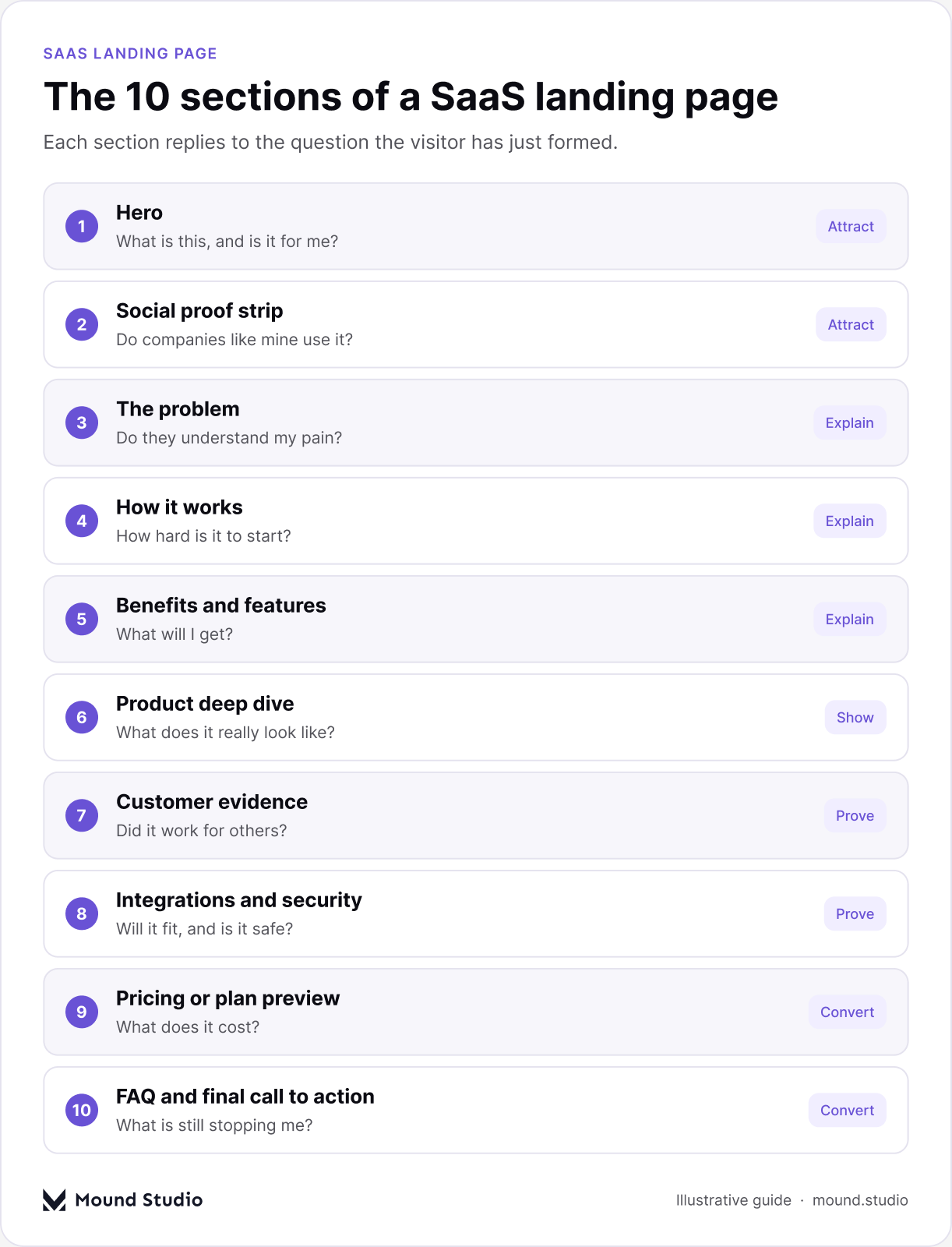
Think of the page as a conversation. Each section replies to the question the visitor has just formed. If a section does not answer a real question, cut it.
| Section | Question it answers | What to include |
|---|---|---|
| Hero | What is this, and is it for me? | Outcome headline, one line of support, one button, real product visual |
| Social proof strip | Do companies like mine use it? | Customer logos, a rating, or a usage number |
| The problem | Do they understand my pain? | Three pain points in the buyer's words |
| How it works | How hard is it to start? | Three or four steps with product visuals |
| Benefits and features | What will I get? | Outcomes first, features as proof |
| Product deep dive | What does it really look like? | Large screens, short video, or an interactive tour |
| Customer evidence | Did it work for others? | Specific quotes and short case study cards |
| Integrations and security | Will it fit and is it safe? | Tool logos, security and compliance basics |
| Pricing or plan preview | What does it cost? | Clear plans or how pricing works |
| FAQ and final call to action | What is still stopping me? | Last objections, then one clear button |
The hero has a few seconds to earn the scroll. Write a headline that states the outcome in plain words, a short subheadline that explains how the product delivers it, and one primary call to action. Show the real product next to it: a screenshot, a short loop, or an interactive preview.
Test your headline by removing the logo. If a stranger cannot tell what you sell, rewrite it. "The operating system for modern teams" says nothing. "Scheduling software that fills your calendar with qualified demos" says a lot.
| Weak headline pattern | Why it fails | Stronger pattern |
|---|---|---|
| Company slogan or wordplay | Visitors skim and cannot decode it | Name the outcome in plain words |
| Feature list in the headline | Talks about the tool, not the result | Lead with the result, list features below |
| Vague category label | Could describe any competitor | Say who it is for and what changes |
Place a row of customer logos, a rating, or a usage number directly below the hero. It answers the silent question "do companies like mine use this?" before the visitor reads further. Use logos your audience recognizes and keep the strip calm, not animated for attention. If you are early and have no logos yet, use a short quote or the number of teams on the waiting list, and only if it is true.
Describe the pain your buyer feels in their own words. One short paragraph or three pain points is enough. When visitors recognize their situation, they trust that the solution was built for them.
Show the path from sign-up to value in three or four steps. Each step gets a short title, one sentence, and a product visual. This lowers the perceived effort of getting started, which is often the real objection.
Lead with outcomes, then support them with features. "Close the month in two days" is a benefit. "Automatic bank reconciliation" is the feature that makes it true. Group features into three to six cards or a bento grid so they are easy to scan.
Serious buyers want to see the product. Use larger screenshots, short videos, or an interactive tour for the two or three workflows that matter most. Annotate the screens so visitors know what they are looking at. For ideas on presenting complex screens, see our guide to SaaS dashboard design best practices.
Testimonials work best when they are specific and tied to a result: a named person, their role, their company, and what changed. Short case study cards with one headline metric work well for B2B. Place proof near moments of doubt, such as next to pricing or the sign-up form.
For B2B buyers, fit and risk matter. Show the tools you integrate with and, where relevant, your security and compliance basics. This section often decides whether a visitor can bring the product to their team.
If you sell self-serve, show clear plans with the recommended one highlighted. If you sell through demos, give a starting point or explain how pricing works, and link to a full pricing page. Answer the most common pricing objection right on the page. Our breakdown of SaaS website design cost covers the design side of the budget.
Use a short FAQ to handle the last objections: setup time, data migration, contracts, and support. Then close with a clean section that repeats the primary call to action and one line of reassurance, such as "free for 14 days, no card needed" if that is true for your product.
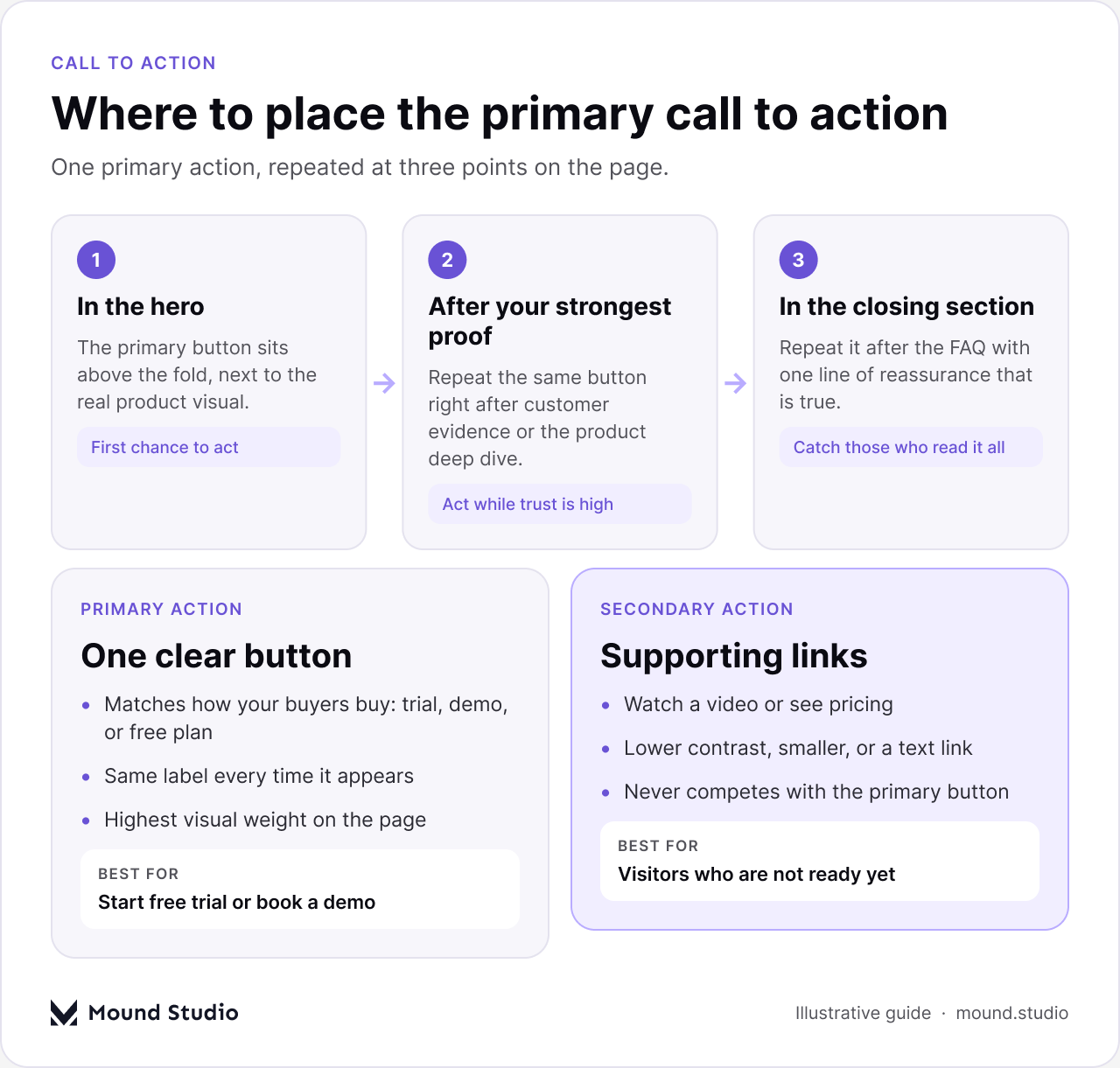
The most common SaaS landing page mistake is asking visitors to do too many things. Pick one primary call to action based on your sales motion, such as start a free trial or book a demo, and repeat it in the hero, after your strongest proof, and at the end of the page. Secondary actions like "watch a video" can exist, but they should look secondary.
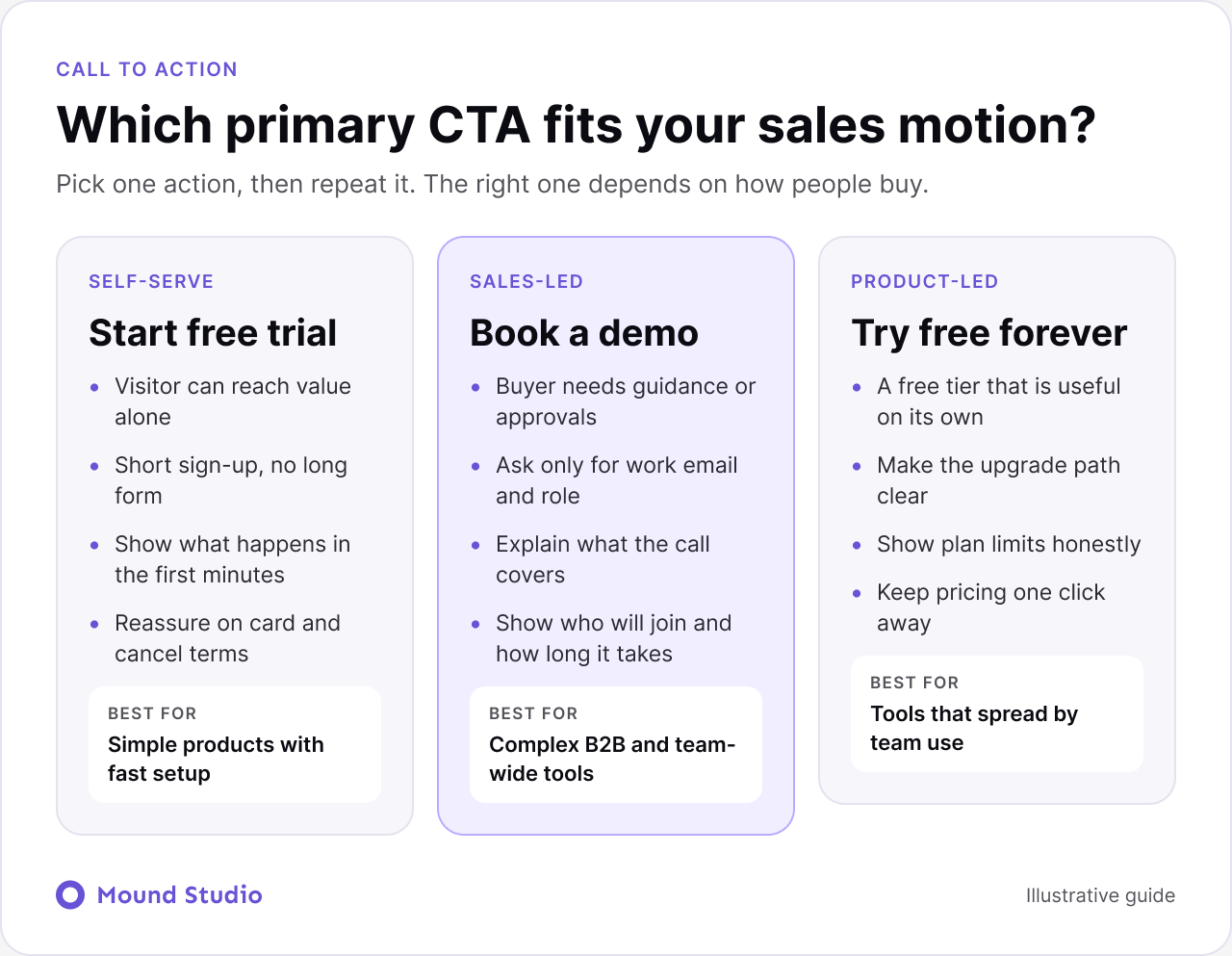
The right action depends on how people buy your product, not on what looks good on a button. Match the action to the sales motion, and make sure the page prepares the visitor for the step that follows.
Take a typical invoicing tool for freelancers. The first version of the hero says "Finance, reimagined" with a shape floating on the right. A visitor learns nothing.
The rewrite starts with three questions. Who is this for? What do they get? What should they do now? The answers become a headline such as "Send invoices in a minute and get paid sooner", a supporting line that names freelancers and small studios, and one button that starts a free trial. The floating shape is replaced by a real screen showing an invoice being sent.
Nothing about the product changed. The page now says what it does. That is usually the fastest improvement available, and it costs a morning, not a redesign.
For a broader checklist that applies beyond SaaS, read how to design a website that converts.
Design goes faster and lands better when the words come first. We follow this order.
Only then do we open the design file. Layouts built around real copy are tighter, and they avoid the last-minute scramble to fit long text into boxes made for short text.
No landing page is finished at launch. Start with the changes that have the biggest effect: the hero headline, the call to action text and placement, and the order of proof. Watch session recordings to see where visitors stop scrolling, and run one test at a time so you know what caused the change.
Not every visitor arrives in the same state. Someone clicking an ad for a specific problem needs a page that names that problem straight away. Someone arriving from a comparison article wants to see differences. Someone who was sent the link by a colleague wants proof and pricing.
One flexible page built from reusable sections can serve several of these with small changes to the hero and the order of proof. That is much easier to maintain than several separate pages.
A landing page is only the first step. The sign-up form and the first session decide whether a click turns into a customer. Keep the promise the page made. If the headline said "send an invoice in a minute", the first screen after signup should help the user do exactly that. Our guide to SaaS onboarding UX covers that first session, and SaaS UX design best practices covers what keeps people once they are inside.
If you have no page yet, write the ten questions first and answer each in one sentence. That is your outline. If you have a page that gets traffic but few signups, fix the hero and the proof placement before anything else. If the page is only slow on mobile, deal with performance first, because speed affects everything below it.
The best SaaS teams build their landing pages as flexible systems: reusable sections, a shared component library, and a CMS that lets marketers launch new pages without developers. That is how we approach SaaS landing page design at Mound Studio. If your page gets traffic but not signups, send it to us and we will tell you where visitors are dropping off.
A clear hero, a social proof strip, the problem, how it works, key benefits and features, a product deep dive, customer evidence, integrations and security, pricing or a plan preview, and an FAQ with a final call to action.
It depends on your traffic source, price, and offer, so there is no single number to aim for. Compare against your own past results and improve from there, one change at a time.
Long enough to answer the questions a buyer has before acting. Simple self-serve products can use shorter pages, while complex B2B products usually need more proof and detail.
Show clear plans if you sell self-serve. If you sell through demos, explain how pricing works or give a starting point, and link to a full pricing page.
One primary action, repeated in the hero, after strong proof, and at the end of the page. Secondary actions should look clearly secondary.


.png)


