








.avif)
.avif)
.avif)

Webflow
Webflow vs WordPress in 2026: Which Should You Choose?

If you run a WordPress site, at some point someone asks whether the next version should be a custom theme or a page builder. The question sounds technical, but the answer mostly depends on people: who edits the site, how often the layout changes and how much control you need over performance. This guide compares the two options and gives you a way to decide.
A custom WordPress theme is a set of templates written for your site. Developers build the layouts and content fields in code, so editors fill in structured fields and the design stays consistent. A page builder is a plugin or a theme framework that lets people assemble layouts visually, using drag and drop, without writing code.
The short answer: choose a custom theme when structure, performance and consistency matter most, and choose a page builder when your team needs to change layouts often and cannot wait for a developer.

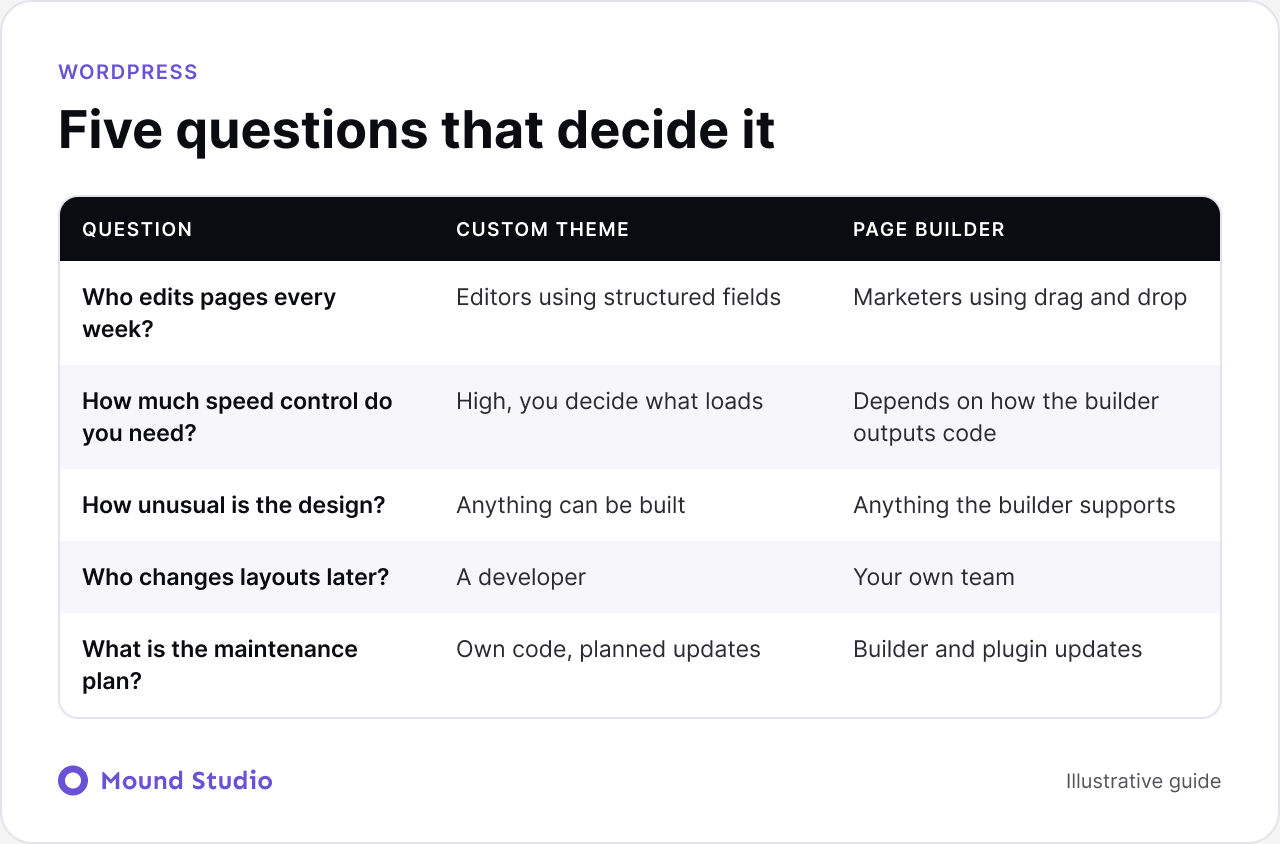
With a custom theme, editors work in structured fields. They add a headline, an image and a body, and the template handles the layout. This keeps pages consistent and stops layouts from breaking, but it limits how far an editor can go beyond the design. With a page builder, editors can rearrange sections, add columns and try new layouts. This is powerful, and it also means pages can drift away from the design system over time.
A custom theme lets you decide exactly which styles, scripts and fonts load on each page. A page builder adds its own code to support its features, and how much depends on the builder and how the pages are built. Both can be fast when built with care. The difference is how much control you have and how much work it takes to keep things light.
A custom theme can implement any design a developer can build. A page builder can implement anything its elements support, and often that is enough. Unusual interactions, complex layouts or very specific brand rules are easier to guarantee in code.
The cost shows up in different places. A custom theme costs more upfront to build, and layout changes go through a developer. A page builder is quicker to launch and cheaper to change day to day, but may need cleanup work later if pages have drifted. Neither option is free in the long run, so ask where you want to spend: at the start or over time.
Answer these five questions plainly. They matter more than any feature list.
Take a typical consultancy with fifteen service pages, a blog and a small resources section. The marketing lead updates text weekly and adds a landing page each quarter. A developer is available a few days a month.
Most of that site is repeating structure: service pages that share a layout, and blog posts that share another. That points toward a custom theme, with fields for the headline, summary, proof points and call to action. Editors then publish new service pages in minutes and the layout never breaks.
The quarterly landing pages are different. Each one has a unique layout, and waiting for a developer would slow the campaign. So we would allow a flexible block area on those pages only, with a small set of approved sections. The team gets both consistency and speed, and the rules for each are written down.
| Situation | Better fit | Why |
|---|---|---|
| Publisher with many articles and strict templates | Custom theme | Structured fields keep hundreds of pages consistent |
| Marketing team running frequent campaigns | Page builder | New landing pages without a developer |
| Small business site of a few pages | Either | The content is simple, so pick what the team can maintain |
| Site with unusual layouts and animation | Custom theme | Easier to guarantee in code |
| Site that changes structure every quarter | Page builder | Layouts change without a release |
Yes, and many teams do. A common pattern is a custom theme for global elements such as the header, footer and blog templates, with a block editor or builder used only for flexible landing sections. This gives editors freedom where change is frequent and keeps structure where consistency matters. The cost is that you need clear rules about where each tool is used, or the site ends up with the drawbacks of both.
A site is only as good as the team's ability to use it. Whichever route you choose, the handover should include the following.
A short recorded walkthrough often works better than a long document. People rewatch it when they get stuck.
We follow a short sequence before any build starts, so the choice is written down and not left to habit.
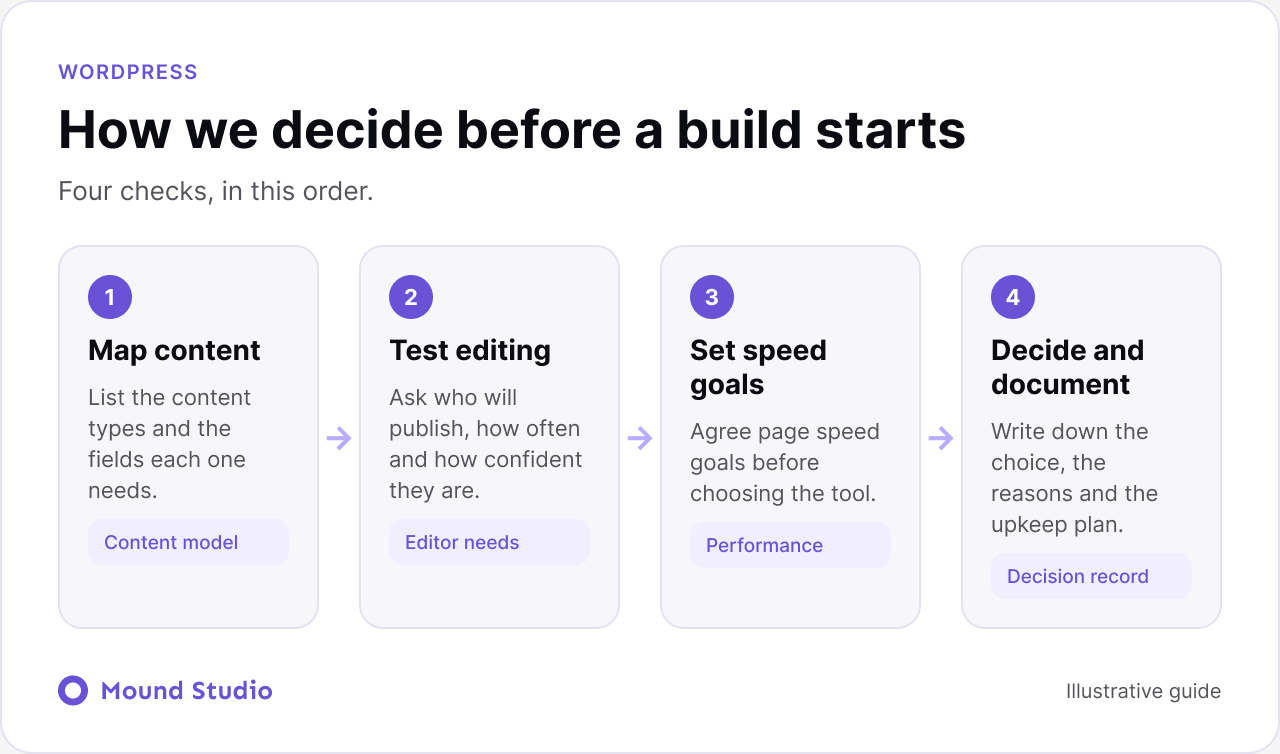
List each content type on the site, such as pages, posts, case studies, team members and events, and the fields each needs. A site with many content types and repeating layouts points towards a custom theme. A site made of unique pages points towards a builder.
Ask the people who will publish. How often do they edit? Do they want to change layouts or only content? A short workshop or a walk through their last three page updates reveals more than a survey.
Agree on what good looks like for your pages on a phone. Then check how each option will meet it. If you are already living with a slow WordPress site, our guide to site speed optimisation shows the kinds of issues worth checking, even though it is written for Webflow.
Write the decision down with the reasons, the plugins involved and who owns updates. When someone asks in a year why the site is built this way, there is an answer.
Launch is the start of the work. Sites slow down and break when nobody owns upkeep.
If a site has drifted over years, a review before any rebuild shows what is worth keeping. Our website redesign checklist covers how to take stock, and when to redesign your website helps you judge whether the time has come.
Both routes can produce accessible, search-friendly pages, and both can also produce poor ones. A custom theme gives you direct control over headings, landmarks and markup. A builder gives you good defaults only if the elements are used properly, so editors need guidance on heading order, image descriptions and link text. Whichever route you choose, check the output in the browser, not just in the editor. Our website accessibility checklist is a useful starting point for that review.
If your main need is a design-led site that marketers can edit visually, with hosting and security handled for you, a platform such as Webflow may be a better fit than either WordPress route. It is a real trade-off rather than a rule, and we compare it in Webflow vs WordPress. If you decide to move, our WordPress to Webflow migration guide covers the steps. For a broader view of how to choose between systems, see how to choose a CMS.
The build route matters less than the people doing it. Before you hire anyone, ask a few direct questions.
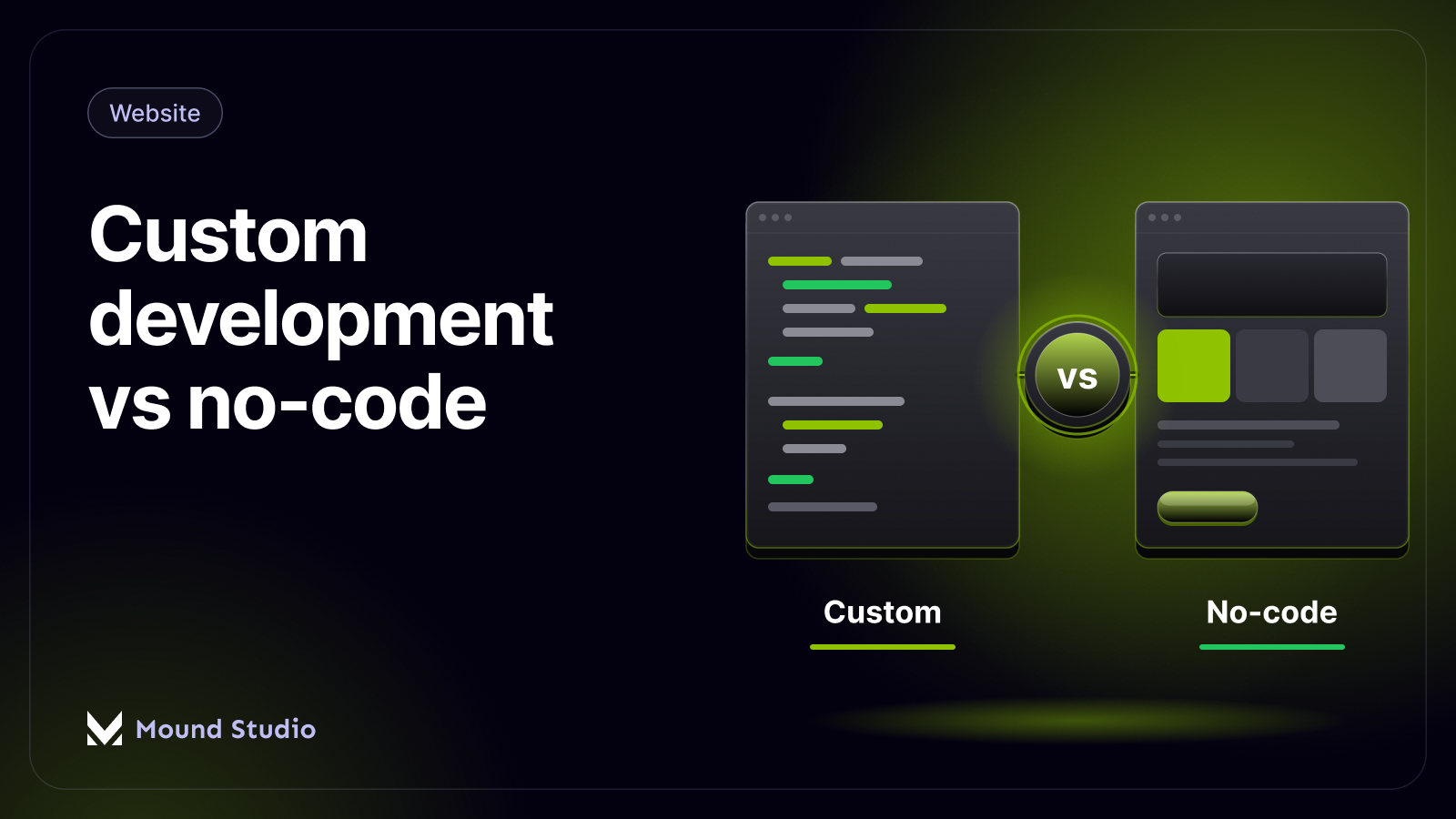
Clear, specific answers are a good sign. Vague answers about doing whatever is needed are not. If you are weighing a code route against a visual platform more broadly, our comparison of custom development and no-code sets out the trade-offs, and our advice on how to choose a web design agency helps you compare partners.
| Question | Lean custom theme if | Lean page builder if |
|---|---|---|
| Content | Many repeating content types | Mostly one-off pages |
| Editors | Comfortable with structured fields | Want to build layouts themselves |
| Speed | Tight speed goals on every page | Good enough with careful setup |
| Design | Distinct, custom interactions | Fits standard building blocks |
| Change | Layout changes are rare | Layout changes are frequent |
| Upkeep | A developer is on call | Your team wants self-service |
Build a small proof first. Take one representative template, such as a service page or a blog post, and build it both ways if you are undecided. Give it to an editor and ask them to make three changes: update the text, swap an image and add a new section. Watch how long it takes and where they get stuck. Then run the page on a phone and check how quickly it becomes usable. This small test takes little time and replaces opinion with evidence from your own content and your own team.
Also check the ecosystem around your choice. List every plugin the site will need, such as forms, search, translation or e-commerce, and confirm each works with the theme or builder. A missing integration discovered late is a common reason for rework.
A custom theme gives you structure and control. A page builder gives your team freedom to change layouts. Choose from your content model, your editors and your speed goals, write the decision down and plan updates from day one. If you would like help deciding, or building the site either way, talk to us about your WordPress project.
Neither is better in every case. A custom theme gives you control over templates, fields and code. A page builder gives your team control over layouts. The better choice is the one that matches who edits the site and how it will change.
Not by definition, but builders add their own code and styles to every page. A careful setup can still be fast. A custom theme gives you more control because you decide exactly what loads.
Yes. Some teams build a custom theme for the site structure and use the block editor or a builder for flexible sections. This can give editors freedom where they need it and structure everywhere else.
It depends on the plan. A custom theme has less third-party code to update but needs a developer for layout changes. A page builder needs regular builder and plugin updates but lets your own team change pages.
If editing and design freedom matter most and you do not need the WordPress plugin ecosystem, a visual platform such as Webflow may fit. Our comparison of Webflow and WordPress goes through the trade-offs.


.png)


